
Why you need multiple CV versions (and how many)

Yes, keep multiple CV versions. One master CV plus a few role-family variants is the practical sweet spot: enough tailoring to lift your interview rate, few enough files to maintain without burning out.
Here is what to do in the next 30–90 minutes:
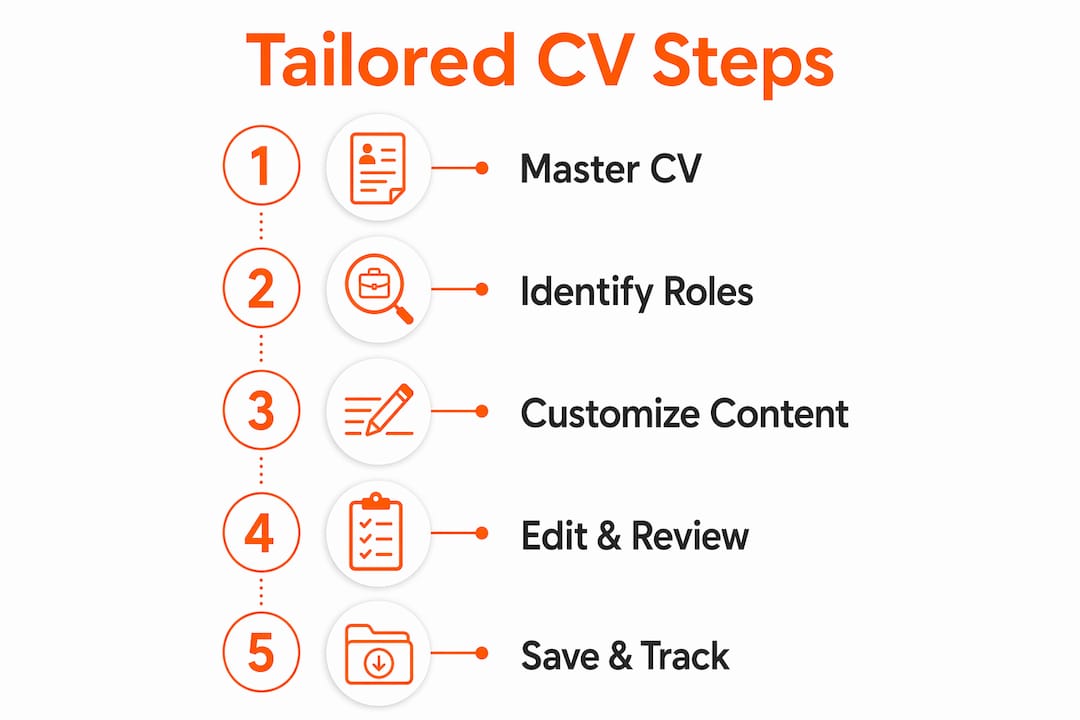
- Create your master CV. Pull every role, achievement, skill, and qualification into one complete document. This is your single source of truth, never sent directly.
- Choose two to three role families. Group the job titles you are targeting (for example: backend engineer, product manager, client-facing operations). Each family gets its own variant.
- Export named PDFs. Save each variant with a clear filename and log where you send it. More on naming conventions in the versioning section below.
The sections that follow explain why tailored CVs outperform generic ones, when to build a new variant versus making a light edit, exactly what to change on page one, and how to avoid the mistakes that quietly kill applications.
Table of Contents
- Why multiple CV versions increase your interview chances
- When do you actually need more than one CV?
- How to create a tailored CV version, step by step
- Role-family examples: before and after
- How to store, name, and track your CV versions
- Common mistakes that quietly kill your application
- What does the research say about how many variants to keep?
- Key takeaways
- SparkCV makes building and managing your variants faster
- Useful sources
Why multiple CV versions increase your interview chances
Recruiters spend only seconds on an initial CV scan. That is not enough time to decode a generic document and map your experience onto their role. If the most relevant proof is buried on page two, it will not be seen. Tailoring puts the right evidence at the top of page one, where it gets read.

ATS systems add a second filter before any human sees your CV. Modern platforms such as Workday, Greenhouse, and Lever use stemmed and synonym matching, so “manage”, “managed”, and “management” are treated as equivalent. Newer systems also compare your full CV against the job description using embedding-style analysis, which means the overall concept coverage matters more than word-for-word mirroring. A CV that covers the must-have skills in context will pass; one that covers irrelevant skills in detail will not.
The human review stage is where role-family variants earn their keep most clearly. A recruiter filling a client-facing operations role reads differently from one filling a backend engineering role. They look for different proof points in the headline, summary, and first three bullets. When those elements speak directly to their priorities, the CV earns a longer look and a higher chance of progressing.
Stat to know: Hiring managers at Santa Monica College’s career service report receiving hundreds to thousands of CVs per role, with roughly 6 seconds of initial attention. Making the most relevant proof visible in that window is the single highest-leverage edit you can make.
One important caveat: different ATS checkers score the same CV very differently, because they measure different signals. Optimise first for a clear, human-readable document. Then check keyword alignment. Chasing a high score from one checker at the expense of readability is a trap.
When do you actually need more than one CV?
Not every application justifies a new variant. Here are the decision rules:
- Build a role-family variant when you are targeting two or more job titles that require meaningfully different skills, experience emphasis, or sector language. A customer service manager CV and a sales executive CV should not be identical, even if the underlying experience overlaps.
- Make a light edit (10–15 minutes) for adjacent roles within the same family. Scan the job description for three keywords you do not already use prominently, adjust one bullet, and update the summary line. That is usually enough.
- Do a full rebuild for a genuine career pivot: moving from engineering into product management, or from in-house legal into consulting. In these cases, the framing, evidence hierarchy, and even the format may need to change substantially. A cover letter for career transition becomes especially important here.
- Invest more time per application when the role is high-value, you have a referral, or it is a stretch role where your standard framing does not obviously fit. These are the cases where tailoring every resume at the role-specific level (30–45 minutes) pays off.
Outside those four situations, your master CV plus a pre-built role-family variant covers most applications efficiently.
Common role families to consider:
- Technical individual contributor (software engineer, data analyst, DevOps)
- Product and strategy (product manager, business analyst, programme manager)
- Client-facing and commercial (account manager, sales executive, customer success)
- Operations and delivery (project manager, operations manager, supply chain)
If your target roles span multiple families, create one variant per family. For most job seekers, two to three variants covers nearly all application needs.

How to create a tailored CV version, step by step
Start from your master CV every time. Never edit a previously tailored variant as your base; that is how inconsistencies creep in.
- Pick the right role-family variant. Open the version closest to the role you are applying for.
- Scan the job description for three keywords. Look for must-have skills or phrases that do not already appear prominently in your variant. These are your edit targets.
- Rewrite the headline. One line, role-specific. Match the job title or the closest natural equivalent.
- Update the two-to-three-line summary. Lead with your most relevant experience for this role family. Drop anything that does not apply.
- Revise the first three impact bullets in your most recent role. These carry the most weight with both ATS and human reviewers. Reorder or reframe to surface the most relevant achievements first.
- Reorder the skills section. Put the skills that match the JD at the top. Do not add skills you do not have.
- Export a named PDF. Use a consistent naming convention (more on this below) and log the application.
Dos and don’ts:
- Do change emphasis, ordering, and framing to match the role.
- Do use the language of the job description where it reflects your genuine experience.
- Do keep a CV tailoring checklist to hand for each application.
- Don’t change facts. Dates, job titles, and responsibilities must remain accurate across every version.
- Don’t overfit to a single ATS checker. Different tools measure different things.
- Don’t stuff keywords at the expense of readability. A sentence written for a parser rather than a person reads badly to both.
Pro Tip: Keep your career log updated with achievements as they happen. Pulling a strong bullet from memory six months later is harder than copying it from a running log.
Role-family examples: before and after
The same underlying experience can read very differently depending on which role family you are targeting. Here are two compact rewrites of the same bullet point.
Original (master CV): “Managed cross-functional projects to deliver software releases on time and within budget.”
Variant A — Technical individual contributor: “Coordinated backend release cycles across engineering, QA, and DevOps, reducing deployment lead time by removing manual handoff steps.”
Variant B — Product and strategy: “Led cross-functional delivery planning for three concurrent software releases, aligning engineering, QA, and commercial stakeholders to a shared roadmap.”
Why each change matters:
- Variant A drops “budget” (less relevant to an IC role) and adds “backend”, “DevOps”, and “deployment lead time” — terms an engineering hiring manager scans for. It signals technical context rather than managerial oversight.
- Variant B adds “stakeholders”, “roadmap”, and “commercial” — language that signals product thinking and cross-functional influence, which a product role requires. “Led” replaces “managed” to convey ownership rather than coordination.
- Both versions are factually identical to the original. The experience did not change; the emphasis did. That is the entire principle of customising your CV per job posting.
The same logic applies to your summary and headline. A two-line summary for a client-facing role should lead with relationship management and commercial outcomes. The same summary for an operations role should lead with process ownership and delivery metrics. Neither version is dishonest; they simply foreground what is most relevant.
How to store, name, and track your CV versions
Chaos sets in when you cannot remember which file you sent to which employer. A simple system prevents that.
File naming convention:
Use the format FirstnameLastname_RoleFamily_V1.pdf. For example:
JaneBrown_ProductManager_V1.pdfJaneBrown_BackendEngineer_V1.pdfJaneBrown_BackendEngineer_V2.pdf(after a significant update)
Never use CV_Final_FINAL_v3_updated.pdf. You will send the wrong one.
Application log:
Keep a simple spreadsheet or table with these columns: Company, Role, Date Applied, Variant Sent, Response (Y/N), Interview (Y/N). This takes two minutes per application and makes testing variants measurable.
| Column | What to record |
|---|---|
| Company | Employer name |
| Role | Job title applied for |
| Date applied | Day/month/year |
| Variant sent | Filename of the PDF sent |
| Response | Yes / No / Pending |
| Interview | Yes / No |
Export formats:
- PDF is the default for most UK applications. It preserves formatting and is parsed reliably by modern ATS systems.
- DOCX is occasionally requested by recruiters who need to reformat your CV for client submission. Keep a clean DOCX version of each variant alongside the PDF.
Time budget:
| Task | Time to allow |
|---|---|
| Creating a new role-family variant from master | 45–90 minutes |
| Light edit for an adjacent role | 10–15 minutes |
| Weekly master CV review | 10 minutes |
| Monthly variant review | 20 minutes per variant |
Pro Tip: Set a recurring 10-minute slot each week to add any new achievements to your master CV. Updating in real time means your variants stay current with minimal effort. Avoiding job search burnout is partly about keeping the maintenance load small.
Common mistakes that quietly kill your application
Most CV errors are not dramatic. They are small, avoidable, and cumulative.
- Sending the wrong variant. The most common mistake. A clear naming convention and a pre-send check fix this entirely.
- Changing facts to chase a job description. Altering dates, job titles, or responsibilities to fit a role is a credibility risk. Recruiters verify. Change emphasis, not facts.
- Over-tailoring to one ATS checker. As noted, different checkers disagree substantially on what “good” looks like. A CV optimised for one tool may score poorly on another and read awkwardly to a human. Prioritise clarity first.
- Flashy layouts that break parsers. Tables, text boxes, headers and footers, and graphics can confuse ATS parsers. A single-column layout with standard sections (Experience, Education, Skills) survives every system. Understanding why CVs get rejected before being read often comes down to formatting alone.
- Inconsistent dates or job titles across versions. If your LinkedIn profile says “Senior Analyst” and your CV says “Lead Analyst” for the same role, a recruiter will notice.
- Mismatched cover letter. Your cover letter should reference the same role framing as the CV variant you are sending. A cover letter written for a product role attached to an engineering CV is a red flag.
Pre-send checklist:
- [ ] Correct variant selected for this role family
- [ ] Filename follows the naming convention
- [ ] Headline matches the job title or closest equivalent
- [ ] No facts altered from the master CV
- [ ] Cover letter references the same role framing
- [ ] PDF exported cleanly (no missing fonts, no layout breaks)
What does the research say about how many variants to keep?
The evidence points clearly to one master CV plus two to three role-family variants as the right structure for most job seekers. This approach captures the directional tailoring benefit without creating a maintenance burden that degrades quality over time.
Here is a simple experiment framework to test whether your variants are working:
- Assign each application to a variant. Record the variant name in your application log.
- Track response rate by variant. After 15–20 applications per variant, you have enough signal to compare.
- Change one variable at a time. If Variant A is underperforming, update only the summary or only the first bullet, then run another 10–15 applications. Changing multiple elements at once removes causality and prevents learning.
- Add a fourth variant only for true career pivots or unusual cases. Past that, quality drops because you cannot keep all versions current.
Update cadence:
- Weekly: Add new achievements to the master CV. Check for any roles that have closed or changed.
- Monthly: Review each variant. Update the skills order if your recent work has shifted emphasis. Re-export PDFs if changes are material.
Pro Tip: If a variant has a response rate noticeably below your others after 20 applications, the problem is usually the summary or the first bullet, not the whole document. Edit one element, re-export, and test again before rebuilding from scratch.
Key takeaways
Keeping one master CV and 2–3 role-family variants is the most time-efficient way to lift your interview rate without creating an unmanageable maintenance burden.
| Point | Details |
|---|---|
| Master CV first | Build one complete source of truth before creating any variants. |
| 2–3 variants is the sweet spot | One master CV plus two to three role-family variants is the recommended structure for most job seekers; add a fourth only for occasional career pivots or staff-level roles. |
| Edit page one first | Headline, two-line summary, and first three bullets carry the most weight with ATS and recruiters. |
| Name files clearly | Use FirstnameLastname_RoleFamily_V1.pdf to avoid sending the wrong version. |
| SparkCV accelerates the process | SparkCV extracts your experience and generates ATS-friendly role-family variants in minutes, with named PDF exports and version tracking built in. |
SparkCV makes building and managing your variants faster
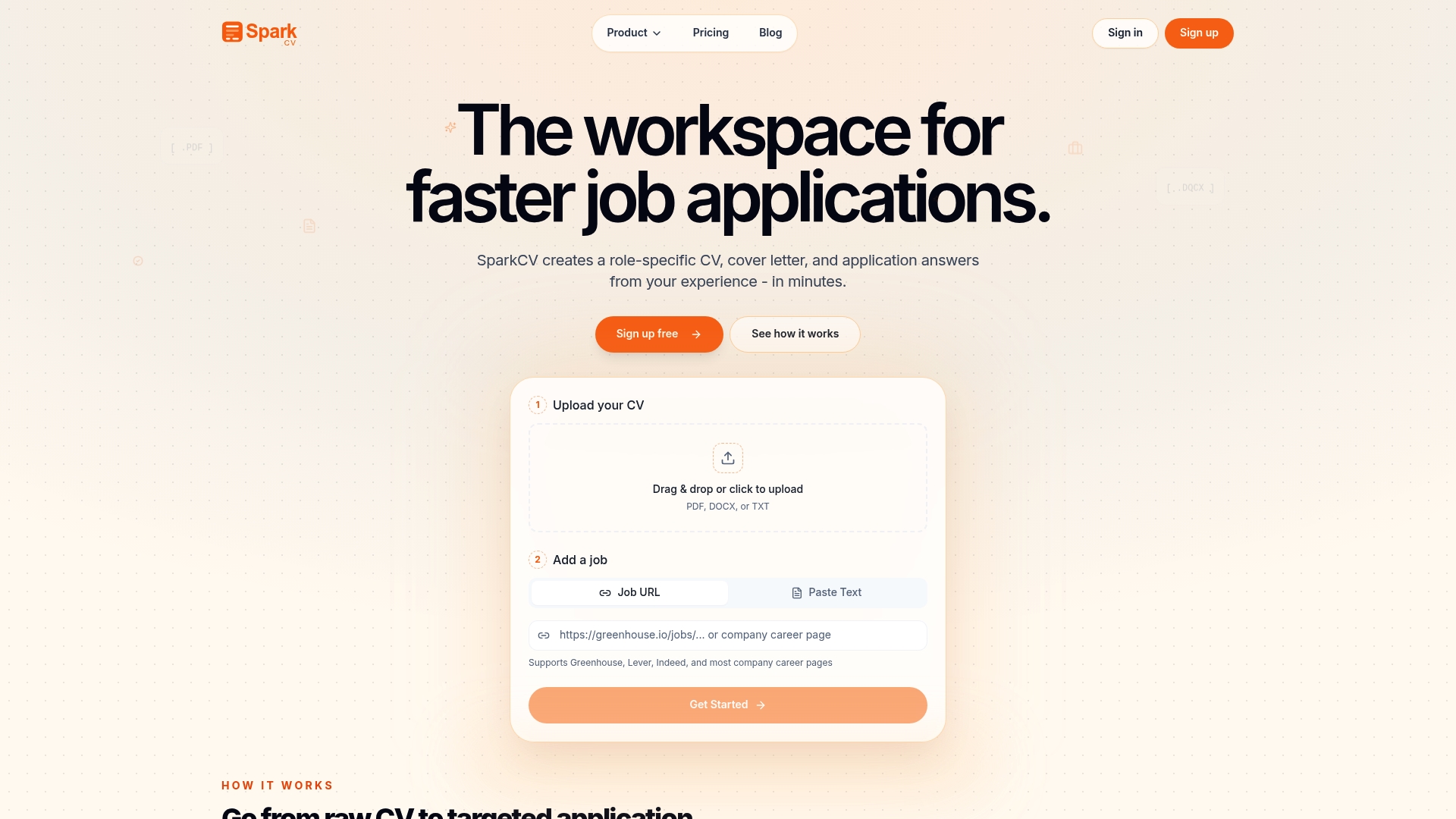
Creating and maintaining 2–3 tailored CV variants manually takes time. SparkCV cuts that time significantly. Upload your master CV and a job description, and SparkCV extracts your relevant experience, generates a tailored CV variant, and produces an ATS-friendly PDF export, all in minutes rather than hours.
The platform also handles cover letters and application question answers, so your full application package stays consistent across every role family. Version history and a built-in achievement log mean your master CV stays current without a separate spreadsheet. Pricing includes monthly, single-use, and student options, so you pay for what you actually need.
Ready to build your first role-family variant? Get started with SparkCV and have your first tailored CV exported today.
Useful sources
- Tailoring your resume — University of Arizona Career Readiness
- Tailoring your resume — Santa Monica College Career Services
- Why tailoring every resume might be costing you interviews — DEV Community
- How to manage CV variants without spreadsheet drift — DEV Community
- Should you tailor your resume for every job? — Tiny CV
- I tested my CV across multiple resume checkers — Medium
- SparkCV — AI-powered CV tailoring and export
- SparkCV — Why rewriting your CV is the real problem
Recommended reads
Keep exploring






Hear more from SparkCV
Leave your email for new articles, onboarding invites, and launch news.
We’ll only use this for SparkCV emails, and you can unsubscribe any time.