
How to write an office administrator resume that gets interviews

A strong office administrator resume is one page, ATS-friendly, and leads with a concise professional summary, three quantified achievements, and role-specific keywords pulled directly from the job description. That combination is what moves your application past automated screening and onto a recruiter’s desk.
Before you write a single bullet, run through this checklist:
- Contact details: name, phone, professional email, LinkedIn URL, city and state
- Summary: two lines maximum, job title + years of experience + one clear value proposition
- Achievements: at least three bullets with numbers (time saved, volume handled, cost reduced)
- Skills: a dedicated line or short block with six to ten keywords matching the role
- Certifications: Certified Administrative Professional (CAP) or Microsoft Office Specialist if you hold either
Pro Tip: Tailor the top third of your resume first. Swap in the exact job title from the listing and mirror three keywords from the requirements section. That single edit delivers the biggest ATS lift before you touch anything else, according to resume template guidance from ResumeTemplates.
Key takeaways
A winning office administrator resume combines a tailored top third, quantified achievements, and ATS-safe formatting, and SparkCV can produce a role-specific draft in minutes.
| Point | Details |
|---|---|
| Tailor the top third first | Swap in the job title and three keywords from the listing before editing anything else. |
| Quantify at least three bullets | Replace duty statements with outcomes: volume handled, time saved, or cost reduced. |
| List software specifically | Name individual Microsoft 365 apps and any sector tools (Dentrix, QuickBooks) rather than generic “MS Office.” |
| Add CAP or MOS if you hold them | Format as: Certification Name, Issuing Body, Year, in a dedicated certifications section. |
| SparkCV for fast tailoring | Upload your CV and the job description; SparkCV generates a tailored CV and cover letter ready to export. |
Table of Contents
- What does a great office administrator resume look like at every level?
- What does an office administrator actually do, and why does it matter for your resume?
- How do you write each section of an admin resume for maximum impact?
- Bullet examples you can adapt by task type
- Which skills and keywords should you include on an office admin CV?
- What formatting and file-type rules does your resume need to follow?
- Which certifications are worth listing, and what does the U.S. job market signal?
- What mistakes do office administrators most commonly make on their resume?
- How do you handle employment gaps or a career change on your resume?
- How should you present volunteer work or extracurricular activities?
- What should an office administrator cover letter look like?
- SparkCV cuts the time it takes to tailor your office administrator application
- Sources
What does a great office administrator resume look like at every level?
The content of your admin CV should shift noticeably between entry, mid, and senior levels. Below are three copy-ready templates. Pick the one closest to your experience, paste it into your document, and swap in your own details and numbers.
1. Entry-level office administrator
Summary: Detail-oriented recent graduate seeking an entry-level office administrator role at Greenfield Partners. Skilled in Microsoft 365, calendar coordination, and professional correspondence.
Experience — Office Assistant, Westside Community College (part-time, 2024–2025)
- Managed scheduling for four faculty members, reducing double-bookings by coordinating via Outlook Calendar
- Processed and filed 150+ student records per semester, maintaining 100% accuracy under departmental audit
- Greeted and directed an average of 60 visitors per day, resolving enquiries at first contact in most cases
Skills: Microsoft Word, Excel, Outlook | Data entry | Filing systems | Customer service | Scheduling
Quick tailoring tip: Replace “Greenfield Partners” with the employer’s name. Swap “faculty members” for the relevant team size from the job listing. If you lack exact numbers, use frequency phrasing: “daily”, “weekly”, “per semester.”
2. Mid-level office administrator
Summary: Office administrator with five years’ experience in professional services, specialising in vendor coordination, invoice processing, and multi-site scheduling. Reduced supply costs by renegotiated vendor contracts.
Experience — Office Administrator, Hartley & Associates LLC (2020–2025)
- Coordinated calendars for a team, scheduling many internal and client meetings per week with no conflicts
- Processed many vendor invoices monthly, cutting approval cycle time significantly
- Maintained digital records for numerous client files, achieving full compliance in consecutive annual audits
Skills: Microsoft 365 | QuickBooks basics | Vendor liaison | Invoice processing | Records management | Scheduling
Quick tailoring tip: Mirror the software names from the job description exactly. If the listing says “Google Workspace,” add it; if it says “DocuSign,” include it.
3. Senior office administrator / office manager
Summary: Senior office administrator with extensive experience managing multi-department operations for sizeable firms. Proven record in budget oversight, compliance reporting, and team supervision.
Experience — Senior Office Administrator, Pinnacle Group (2015–2025)
- Oversaw office operations for three branch locations, supervising a team of four administrative staff
- Negotiated supplier contracts that reduced annual office expenditure significantly
- Implemented a digital document management system, cutting retrieval time substantially and eliminating paper filing
Skills: Office operations | Budget management | Compliance reporting | Team supervision | Microsoft 365 | SharePoint
Quick tailoring tip: Senior roles benefit from a two-line summary. Add a second sentence naming the industry (legal, healthcare, finance) if the listing specifies one.
What does an office administrator actually do, and why does it matter for your resume?
The BLS Occupational Outlook Handbook describes the core remit of administrative support roles as scheduling appointments, maintaining records, handling correspondence, and supporting day-to-day office operations. That breadth is exactly why your resume needs to be specific: recruiters see dozens of generic admin CVs, and the ones that stand out name the workstreams and the scale.
Common workstreams to reflect on your resume include reception and visitor management, calendar and meeting coordination, vendor and supplier liaison, supplies procurement, and records or document management. The right emphasis depends on the role type. A front-desk position rewards customer-facing language and communication skills. A branch office role benefits from multi-site coordination experience. Medical or dental admin positions call out HIPAA awareness and patient scheduling software such as Dentrix or Epic. Professional services firms (law, accounting, consulting) want to see billing support, confidentiality handling, and document formatting.
Pro Tip: Turn routine tasks into achievement statements by asking: “What happened because I did this well?” Filing 200 records is a task. Filing 200 records with zero errors across two audits is an achievement. That shift in framing is what Indeed’s resume guidance consistently highlights as the difference between a forgettable bullet and one that earns a call.
How do you write each section of an admin resume for maximum impact?
Summary
Lead with your job title, years of experience, and one concrete value proposition in a single sentence. A second sentence is optional and should add a specific strength or sector focus. Keep it under 40 words total. Never open with “I am” or a personality adjective like “dynamic.”

✓ “Office administrator with six years’ experience in legal services, specialising in document management, client scheduling, and compliance reporting.”
Experience bullets
Use the CAR structure: Context, Action, Result. Lead with a strong action verb, add the context in a short phrase, and close with a measurable outcome. PARWCC career resources consistently recommend verbs such as managed, coordinated, oversaw, processed, implemented, and negotiated for administrative roles.
✓ “Coordinated travel arrangements for 15 executives, reducing booking errors by consolidating requests into a single Outlook-based workflow.”
Skills and education
List skills in a compact block, not a long paragraph. Group technical tools (Microsoft 365, Google Workspace, Salesforce basics) separately from soft skills (stakeholder communication, prioritisation). For education, list your highest qualification, institution, and graduation year. If you attended college but did not graduate, write “Coursework completed in Business Administration” rather than leaving a gap.
Certifications
Place certifications in their own short section, formatted as: Certification Name | Issuing Body | Year. Example: Certified Administrative Professional (CAP) | IAAP | 2023. This format is clean for ATS parsers and immediately legible to human reviewers.
Bullet examples you can adapt by task type
Strong bullets are modular. Swap in your own numbers and the section below gives you a ready bank to draw from.
Scheduling and calendar management
- Managed calendars for [X] senior staff, scheduling [Y] meetings per week with no conflicts
- Coordinated travel itineraries for [X] executives across [Y] time zones, reducing booking errors by [Z]%
- Organised [X] company-wide events per year, handling venue booking, catering, and attendee communications
Records and data entry
- Maintained digital records for [X] client or employee files, achieving [Y]% accuracy across [Z] audits
- Processed [X] data entries per week into [system name], reducing manual errors by [Y]%
- Digitised [X] paper files, cutting retrieval time from [Y] minutes to [Z] minutes
Supplier and vendor management
- Liaised with [X] suppliers, negotiating terms that reduced annual spend by [$Y or Y%]
- Managed office supply procurement for a team of [X], maintaining stock levels with zero shortages over [Y] months
- Reviewed [X] vendor invoices monthly, resolving discrepancies and cutting approval cycle time by [Y] days
Reporting and cost control
- Prepared [weekly/monthly] expense reports for a department budget of [$X], identifying [Y]% in avoidable spend
- Tracked office expenditure against a [$X] annual budget, flagging variances within 24 hours
- Produced [X] management reports per quarter using Excel pivot tables, reducing manual compilation time by [Y] hours
Customer-facing tasks
- Greeted and directed [X] visitors per day, resolving [Y]% of enquiries without escalation
- Handled [X] inbound calls daily, triaging to the correct department in under two minutes on average
- Managed front-desk operations for a [X]-person office, maintaining a professional reception environment
Pro Tip: If you do not have exact figures, use honest approximations or frequency-based phrasing. “Processed approximately 150 invoices monthly” is credible. “Managed a high volume of invoices” tells a recruiter nothing. Ranges work too: “coordinated calendars for 8–12 staff” is specific enough to be useful. You can track and build these figures over time using a career achievement log.
Which skills and keywords should you include on an office admin CV?
ATS systems scan for exact or near-exact keyword matches against the job description. The following terms appear frequently in U.S. office administrator job postings and are worth including where you genuinely have the experience.
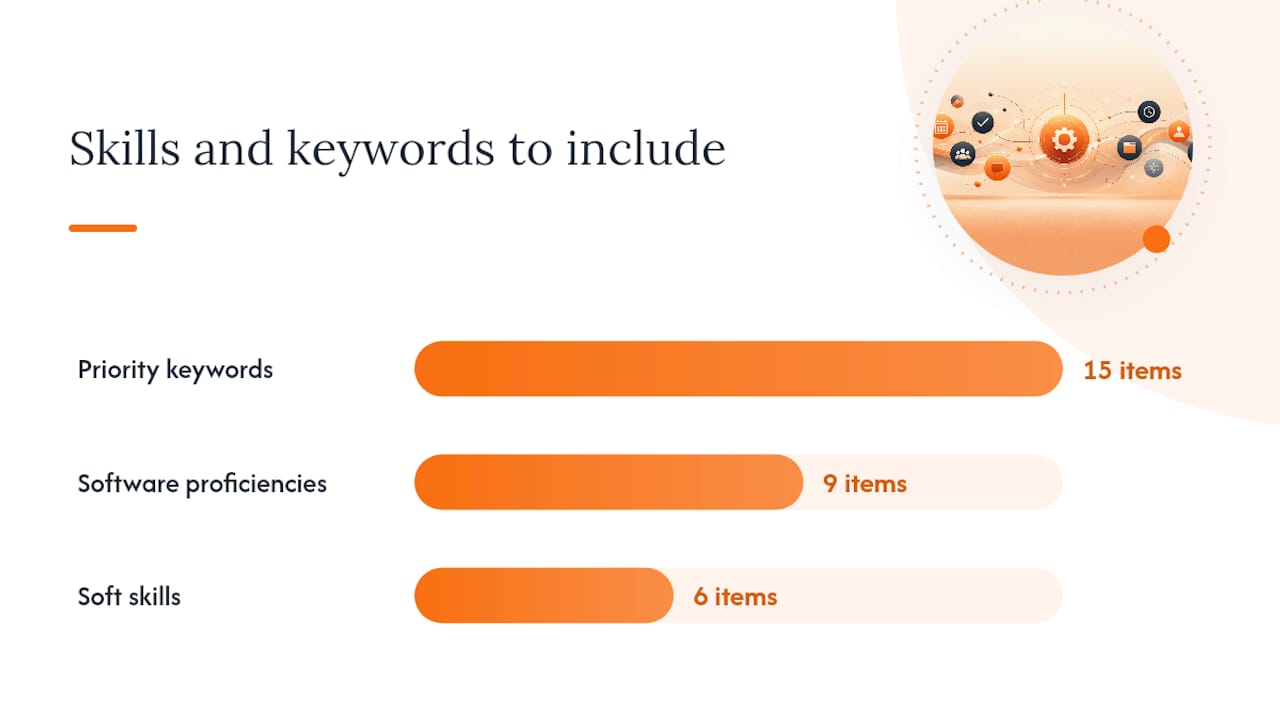
Priority keywords: scheduling, calendar management, invoice processing, records management, stakeholder liaison, correspondence, data entry, vendor coordination, office supplies procurement, compliance, reporting, document management, travel coordination, meeting coordination, confidentiality.
Software proficiencies: Microsoft 365 (Word, Excel, Outlook, PowerPoint, Teams), SharePoint, Google Workspace, Zoom, DocuSign, QuickBooks, Salesforce (basic), Dentrix or Epic (medical/dental roles). List Microsoft Office Specialist credentials explicitly if you hold them, since many hiring teams use these as a quick technical filter.
Soft skills worth naming: written and verbal communication, prioritisation, attention to detail, problem-solving, discretion, multi-tasking. Pair each with a bullet that evidences it rather than listing it in isolation.
Matching tip: Copy the exact phrasing from the job description into your skills block and summary. If the listing says “calendar management,” use that phrase, not “diary management.” The difference matters to ATS parsers. A CV tailoring checklist can help you work through this systematically for each application.
What formatting and file-type rules does your resume need to follow?
Most U.S. employers route applications through an ATS before a human sees them. Formatting choices that look polished in Word can break a parser entirely.
ATS dos and don’ts:
- Do save as .docx unless the listing specifically requests PDF. Many ATS platforms parse Word files more reliably.
- Do use standard section headings: “Work Experience,” “Skills,” “Education,” “Certifications.”
- Do place contact details in the body of the document, not in a header or footer. Parsers often skip header/footer content.
- Do choose clean, widely supported fonts: Calibri, Arial, or Georgia at 10–12pt.
- Don’t use tables, text boxes, or columns for key content. They frequently break ATS parsing.
- Don’t embed your name or contact details only in a graphic or image element.
Length: One page is right for most applicants with fewer than ten years of experience. Two pages are acceptable for senior office administrators with ten or more years, multiple locations managed, or significant budget responsibility. Never pad to fill a second page.
Final formatting checklist:
- Filename: FirstName-LastName-OfficeAdministrator-Resume.docx
- Contact details visible in the document body (not just the header)
- Top third tailored to the specific job title and three keywords from the listing
- Consistent font, size, and spacing throughout
- No unexplained date gaps visible at a glance
- Export settings checked (no tracked changes, no comments left in the file)
Resumes that fail ATS parsing are often rejected before a human reads them, so this checklist is worth running through for every application.
Which certifications are worth listing, and what does the U.S. job market signal?
The Certified Administrative Professional (CAP) credential, awarded by the International Association of Administrative Professionals (IAAP), is the most widely recognised professional signal for U.S. office administrators. It covers organisational communication, project management, and business writing, and it signals commitment to the profession in a way that a generic admin title cannot.
The Microsoft Office Specialist (MOS) certification validates proficiency in specific Office applications and is a practical, low-cost credential to pursue if you use Excel or Word heavily. List it as: Microsoft Office Specialist: Excel Expert | Microsoft | 2024.
For sector-specific roles, a Certified Medical Administrative Assistant (CMAA) credential strengthens a medical office application considerably. List it the same way: name, issuing body, year.
The BLS Occupational Outlook Handbook notes that administrative support roles are found across virtually every industry sector, which means the strongest positioning strategy is to combine a general credential (CAP or MOS) with sector-specific language in your bullets and summary.
What mistakes do office administrators most commonly make on their resume?
Listing duties instead of achievements. “Responsible for scheduling” tells a recruiter what your job description said. “Coordinated calendars for 12 staff, scheduling 30+ meetings per week with no conflicts” tells them what you actually delivered.
Using a generic summary. A summary that could apply to any admin role wastes the most-read section of your resume. Name the employer type, the team size, or the specific function you supported.
Ignoring ATS formatting rules. Tables, columns, and decorative fonts look professional to a human but frequently cause parsing errors. Stick to single-column layouts and standard headings.
Omitting software versions or proficiency levels. “Microsoft Office” is vague. “Microsoft 365: Word, Excel (pivot tables, VLOOKUP), Outlook, Teams” is specific and searchable.
Sending the same resume to every role. A tailored application consistently outperforms a generic one. Swapping the job title and three keywords in the summary takes under five minutes and materially improves your match rate.
How do you handle employment gaps or a career change on your resume?
Employment gaps are common and rarely disqualifying when handled directly. Use a brief, factual explanation in your summary or a short note in parentheses next to the date: (Career break: family care, 2023–2024). Recruiters respond better to transparency than to unexplained gaps.
For a career change into office administration, lead your summary with transferable skills rather than your previous job title. A retail manager moving into admin has scheduling, supplier liaison, and customer communication experience. Name those skills explicitly and quantify them. Your cover letter for a career transition is the right place to explain the motivation for the move; the resume itself should focus on the evidence that you can do the job.
Functional resumes (skills-first, experience second) are sometimes suggested for career changers, but most U.S. recruiters and ATS systems prefer reverse-chronological order. A better approach is a strong skills-led summary followed by a standard reverse-chronological experience section that highlights transferable achievements.
How should you present volunteer work or extracurricular activities?
Volunteer and extracurricular experience belongs on your resume when it demonstrates a skill directly relevant to the role. An entry-level applicant who coordinated logistics for a 200-person charity event has scheduling and vendor liaison experience worth listing. Format it exactly like paid work: organisation name, your role title, dates, and two or three achievement bullets.
For mid and senior applicants, volunteer experience is most useful when it fills a skills gap (for example, budget management or team supervision not covered by paid roles) or when it adds sector-specific credibility (volunteering at a medical clinic for a medical admin role).
Place volunteer experience in a separate “Volunteer Experience” section below your paid work history, or within the main experience section if the role is directly relevant and recent. Soft skills evidenced through extracurricular activities, such as communication or leadership, are worth including in your skills block too. The SparkCV soft skills guide covers how to frame these effectively.
What should an office administrator cover letter look like?
A cover letter for an office administrator position should be three short paragraphs and never exceed one page. Its job is to explain why this role at this organisation, not to repeat your resume.
Opening paragraph: Name the role, where you found it, and your single strongest qualification. “I am applying for the Office Administrator position at Hartley & Associates, advertised on LinkedIn. With five years’ experience coordinating multi-department operations in professional services, I can contribute from day one.”
Middle paragraph: Pick two or three achievements from your resume that directly match the job description’s requirements. Quantify them. Connect them to what the employer needs. “In my current role, I process 200+ vendor invoices monthly and have reduced approval cycle time from five days to two. I also coordinate calendars for a 12-person team, managing 30+ meetings per week without conflicts. Both skills align directly with the coordination and vendor management responsibilities in your listing.”
Closing paragraph: State your availability and a clear next step. “I would welcome the opportunity to discuss how my experience fits your team’s needs. I am available for an interview at your convenience and can be reached at [phone] or [email].”
Tailor the opening line and the middle paragraph achievements to each application. A cover letter that mirrors the job description’s language, without copying it verbatim, signals genuine interest and ATS awareness simultaneously. If you are moving into admin from another field, the career transition cover letter guide offers additional framing for that specific situation.
SparkCV cuts the time it takes to tailor your office administrator application
Tailoring a resume and cover letter for every application is the right approach, but it is also the part most applicants skip because it takes too long. SparkCV solves that directly.
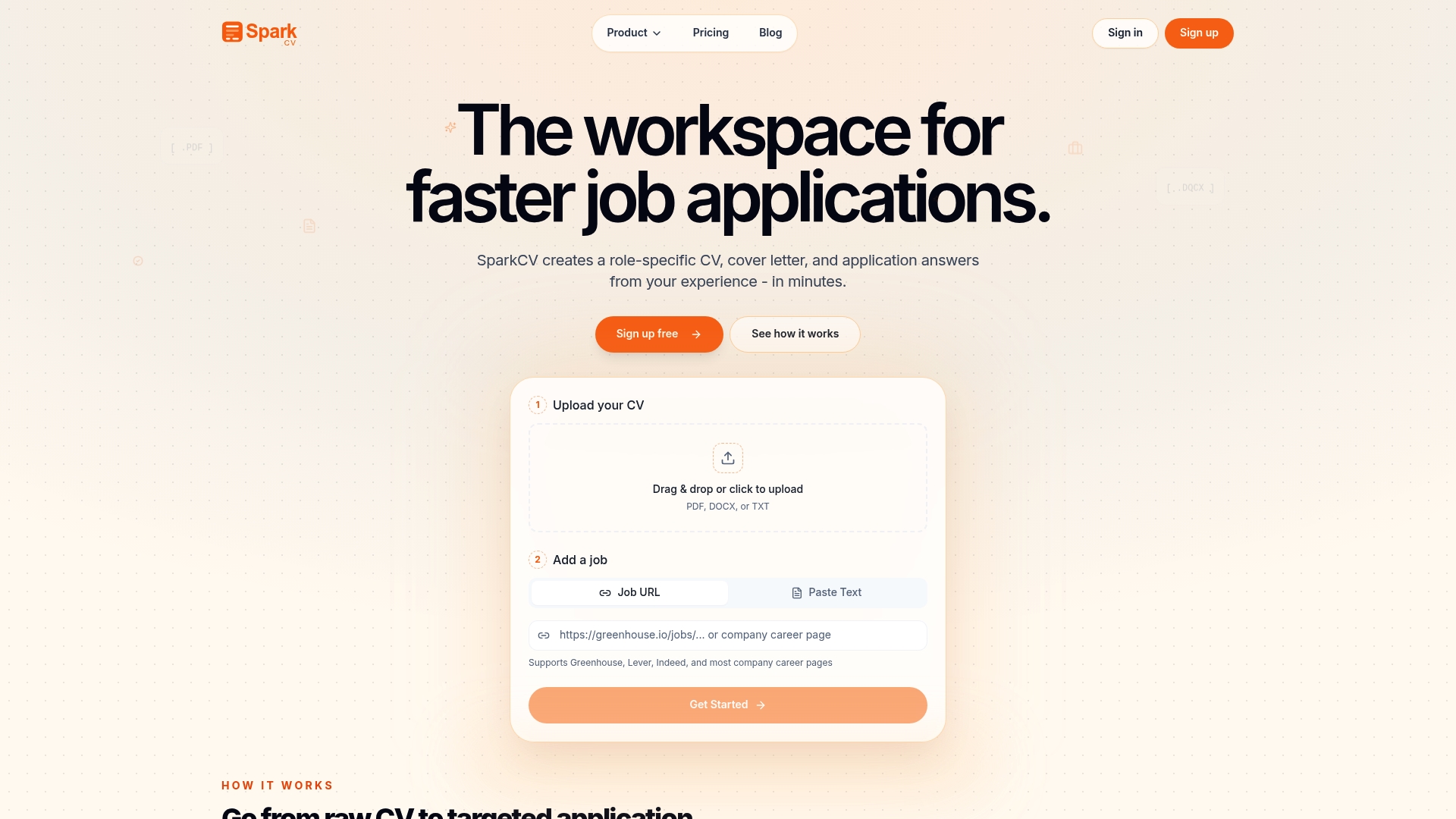
Upload your existing CV and paste in the job description. SparkCV extracts your relevant experience, matches it against the role’s keywords, and produces a tailored CV, a cover letter, and answers to application questions in minutes. Every output is ATS-friendly and formatted for export. You also get an achievement log to capture and store quantified wins as you go, so future applications take even less time. For job seekers applying to multiple office admin roles, that combination of speed and precision is a genuine advantage. Try SparkCV and see a tailored draft in your first session.
Sources
The sources below underpin the guidance in this article and are worth bookmarking for your own research.
The BLS Occupational Outlook Handbook is the authoritative source for U.S. administrative role duties, employment context, and sector distribution. Use it to align your resume language with what employers in your target industry actually expect.
The IAAP CAP Certification page covers eligibility, exam content, and how to list the credential. When adding CAP to your resume or LinkedIn profile, cite IAAP as the issuing body alongside the year awarded.
Microsoft Learn documents the full MOS credential pathway. If you are considering sitting an exam to strengthen your technical profile, start here to identify which application and level matches your current role.
Indeed’s office administrator resume guide provides sample summaries, bullet structures, and step-by-step section guidance grounded in real job postings. It is particularly useful for checking that your phrasing matches current recruiter expectations.
ResumeTemplates offers a library of format examples and reinforces the reverse-chronological, quantified-achievement approach recommended throughout this article.
Recommended reads
Keep exploring






Hear more from SparkCV
Leave your email for new articles, onboarding invites, and launch news.
We’ll only use this for SparkCV emails, and you can unsubscribe any time.