
The ATS resume format that actually gets you past the bots

Use a single-column, text-parsable resume with standard section headings and your contact details in the body, not the header. That one change prevents most ATS parsing failures before they happen. A clean layout with no tables, columns, or graphics parses far more reliably than a designed template, and strict parsers like Workday and iCIMS fail on two-column layouts frequently. SparkCV builds every export around this exact structure, so tailoring for a role never means fighting the format.
Before you send anything, run these checks:
- Copy your resume and paste it into a plain text editor. If sections jumble or text vanishes, the ATS will see the same mess.
- Confirm your file is a text-based PDF or a .docx, never a scanned image or flattened export.
- Search your document for tables, headers, or footers. If your name and phone number sit in a header, move them into the body now.
Key Takeaways
A resume passes most ATS checks when it uses a single-column layout, standard section headings, body-placed contact details, and a genuine text-based file export.
| Point | Details |
|---|---|
| Layout first | Build from a blank document in one column; skip template galleries with sidebars or two-column designs. |
| Standard headings only | Use “Work Experience,” “Skills,” and “Education,” not creative or custom section titles. |
| Contact stays in the body | Never place your name, phone, or email in a header or footer where parsers can miss it. |
| Test before submitting | Copy and paste into a plain text editor to catch missing sections or scrambled order. |
| Tailor with SparkCV | SparkCV generates ATS-formatted resumes and cover letters matched to each job description in minutes. |
Table of Contents
- What does an ATS-friendly resume format actually require?
- What order should resume sections follow?
- Which formatting choices cause ATS parsing failures?
- How do you place keywords without stuffing them?
- What does a copy-paste ATS resume skeleton look like?
- How do you test whether your resume will parse correctly?
- How SparkCV builds ATS-compliant resumes for you
- Why do graphics and icons cause ATS resumes to fail?
- How should keywords appear naturally across a resume?
- How do certifications and awards fit an ATS resume format?
- What are the five most common ATS parsing errors?
- Get an ATS-ready resume without rebuilding it every time
- Sources
What does an ATS-friendly resume format actually require?
An ATS friendly resume format comes down to five things: single-column layout, standard section headings, plain text (no tables or graphics), a text-based file, and dates written consistently. Get those right and you have solved most of the formatting problems that cause a resume to parse incorrectly.
Here’s a two-minute checklist to run before you submit anything:
- Check your layout. One column, top to bottom. No sidebars, no text boxes, no columns for skills versus experience.
- Check your font. Arial, Calibri, or Helvetica at 10 to 12 point for body text, 14 to 16 point for your name.
- Check your headings. Use plain, recognisable labels: “Work Experience,” “Skills,” “Education,” “Certifications.” Skip creative titles like “Where I’ve Made Impact.”
- Check your dates. Standardise on the format “Mon YYYY – Mon YYYY” (for example, “Jan 2023 – Mar 2026”) throughout the document.
- Export correctly. Save as a text-based PDF (open it and try to select the text with your cursor) or a .docx file. Never export a scanned image or a locked PDF/A file, since that strips the text layer the ATS needs to read.
Pro Tip: If you’re applying to several roles at once, keep one master version in this exact format and duplicate it per application. Reformatting from scratch each time is where most people accidentally reintroduce a table or a header.
What order should resume sections follow?
The canonical order is Contact, Summary, Work Experience, Skills, Education, then Certifications or Projects if relevant. This mirrors how most parsers expect to read a document and how recruiters scan it after the ATS ranks it through.
A few exceptions are worth knowing:
- Recent graduates with little work history should move Education above Work Experience, since it’s their strongest credential.
- Licensed professionals (nurses, accountants, engineers) often lead with Certifications directly under the Summary, because the license is a hard eligibility filter.
- Mid-career and senior applicants should keep Work Experience first, with 3 to 5 bullet points per role, each one line where possible, and each formatted the same way: job title, company, dates.
Indeed’s own resume guidance backs this reverse chronological structure as the safest default across industries.
Which formatting choices cause ATS parsing failures?
Do this: single column, plain round or square bullets, dates written inline next to each role, and contact information sitting in the body text at the top of the page. Don’t do this: tables, headers or footers, embedded images, icons, text boxes, or custom heading styles borrowed from a design template.
- Font and size: stick to Arial, Calibri, or Helvetica, 10 to 12pt for body copy, with one inch margins on all sides.
- Bullets: use simple round or dash bullets. Avoid arrows, checkmarks, or custom Unicode symbols, since some parsers render them as broken characters.
- File integrity: open your exported PDF and check you can highlight and copy the text. If you can’t select it, it’s an image, and the ATS reads nothing.
A clean single-column resume with standard headings and no tables or graphics parses far more reliably than a designed layout, and tests on strict parsers show tables and two-column formats fail often. Many polished template galleries build in exactly these problems: two-column “modern” designs remain one of the most common causes of missed content, which is why starting from a blank document beats starting from a gallery template.
How do you place keywords without stuffing them?
Mirror the language of the job description in your Summary, Skills, and bullet points, since ATS software compares your resume’s content directly against that posting. If the listing says “stakeholder management,” use that exact phrase somewhere, not just a synonym like “client relations.”
- Include both the acronym and the full term at least once: “Search Engine Optimisation (SEO),” “Customer Relationship Management (CRM).”
- Repeat your top 3 to 5 keywords naturally across different sections rather than clustering them all in one line.
- Keep every claim quantified and provable. “Increased retention by 18%” beats “Increased retention” every time, and never invent a figure you can’t back up.
Pro Tip: Read the job description twice and highlight every repeated noun and skill. Those repeated terms are what the ATS is scoring against, not the adjectives around them. SparkCV’s application question tools apply this same matching logic when generating tailored answers, so your resume and your written responses use consistent language.
What does a copy-paste ATS resume skeleton look like?
Paste this structure into a blank Word or Google Docs file and fill in your own details, keeping every line left-aligned with no tables or text boxes underneath it.
| Field | What Goes Here |
|---|---|
| Name | Full name, bold, 14 to 16pt |
| Contact | Phone, email, city/state, LinkedIn URL, on one line in the body |
| Summary | 2 to 3 lines describing your role, years of experience, and top skills |
| Work Experience | Job Title, Company, Mon YYYY – Mon YYYY, then 3 to 5 bullet points |
| Skills | A plain list of relevant skills, comma separated or one per line |
| Education | Degree, Institution, graduation year |
| Certifications | License or certification name, issuing body, year |
Bold only your section headings, not individual words within bullets. Graduates should move Education above Work Experience; senior applicants running to a second page should repeat the heading style consistently rather than introducing a new format halfway through.
How do you test whether your resume will parse correctly?
Run these checks in order before you submit any application:
- Copy and paste your entire resume into a plain text editor like Notepad or TextEdit. If sections appear out of order or chunks of text are missing, your ATS parsing structure has a problem.
- Scan for hidden contact info. If your name, phone, or email sit in a header or footer, they may be invisible to the parser. MIT’s career development office flags this as one of the most common self-inflicted errors.
- Look for tables and columns. If your skills sit in a two-column table, the ATS may read left to right across rows and scramble your content.
- Check your date format. Inconsistent formats (“2023-2024” versus “Jan 2023 to Present”) confuse some parsers into misreading employment gaps.
- Re-export as needed. If your PDF fails the copy-paste test, rebuild it from a plain document and export again, confirming the text layer is intact.
Pro Tip: This copy-paste test takes under a minute and catches the majority of formatting failures before a recruiter ever sees your application.
How SparkCV builds ATS-compliant resumes for you
SparkCV extracts your experience from an existing resume and the target job description, then generates a tailored, ATS-friendly resume, cover letter, and application answers in minutes. Every export follows the single-column, standard-heading structure this article covers, so you don’t have to manually rebuild the format for each application.
This matters most in a few specific situations:
- Applying to multiple roles in a week, where reformatting each resume by hand eats hours you don’t have.
- Facing a dense job description packed with technical requirements you need mirrored accurately in your Skills and Summary.
- Wanting your cover letter and application answers to use the same keyword language as your resume, rather than drifting into generic phrasing.
For a deeper walkthrough of tailoring content role by role, SparkCV’s CV tailoring checklist for 2026 builds directly on the keyword and formatting rules covered above.
Why do graphics and icons cause ATS resumes to fail?
Skill bars, star ratings, headshots, and decorative icons look sharp on a designed template, but most parsers either ignore them entirely or misread the surrounding text because of how they’re anchored on the page. A five-star graphic meant to show “Excel proficiency: expert” often gets stripped out completely, leaving the ATS with no data point at all for that skill.
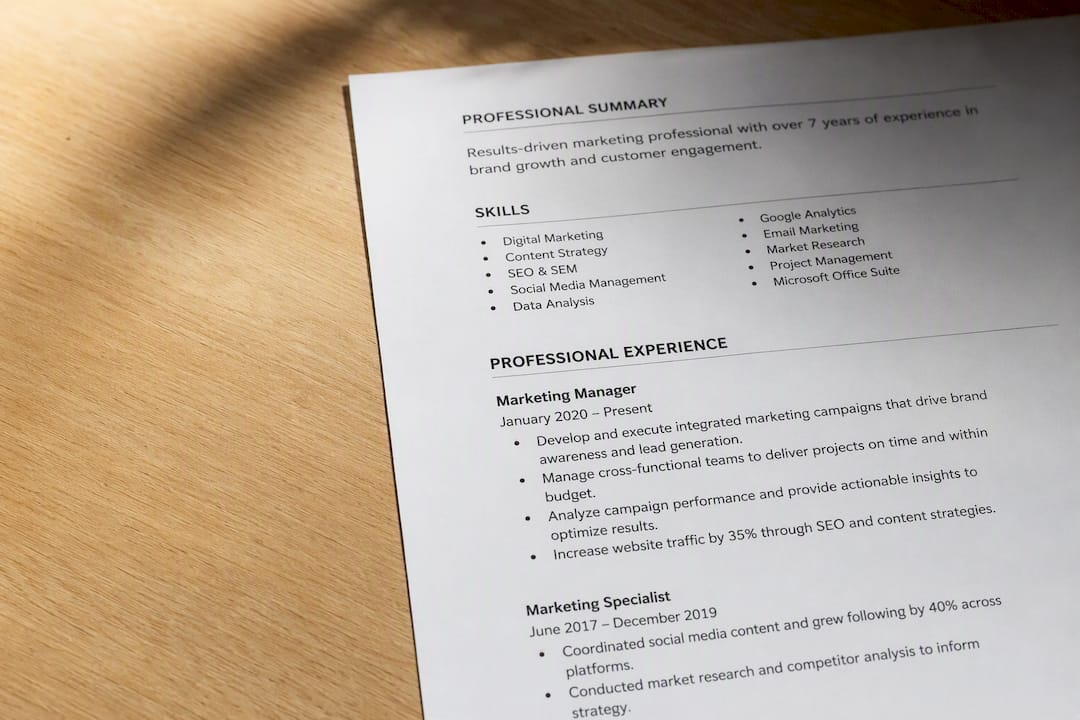
The same applies to logos placed next to company names, decorative borders around section headings, and icon sets used instead of the words “Phone” or “Email.” An ATS reads text in a linear stream. Anything that depends on visual position rather than sequential text, like an icon sitting to the left of a phone number with no label, risks being dropped or attached to the wrong field.
The fix is straightforward: describe everything in words. Instead of a graphic showing “Advanced” next to Excel, write “Excel (advanced): pivot tables, VLOOKUP, macros.” Instead of a location pin icon next to your city, write “Chicago, IL” as plain text. This isn’t just about ATS safety, either. Recruiters skimming a resume after it clears the system still need to read specifics, and a five-star graphic tells them nothing a hiring manager can act on. Every decorative element you remove is one less point of failure and one more piece of readable, provable content in its place.
How should keywords appear naturally across a resume?
The best resume format for ATS purposes treats keywords as content, not decoration. Instead of appending a “Keywords: Python, SQL, Agile” line at the bottom, which some parsers flag as spam, weave those same terms into your actual accomplishments.

Repetition across sections helps more than repetition within one line. If “project management” appears once in your Summary, once in a bullet describing a specific project, and once in your Skills list, that’s three natural mentions spread through real context, not stuffing. Cramming the same phrase five times into one paragraph reads as manipulation to a human reviewer and adds nothing extra to most scoring systems.
Match the job description’s phrasing precisely where you can. If the posting says “cross-functional collaboration” and your resume says “worked with other teams,” the literal match may not register. Swap in the exact phrase when it’s true to your experience. Where it isn’t accurate, don’t force it. A resume that gets flagged as a strong keyword match but fails the interview because the claims don’t hold up wastes everyone’s time, yours included.
How do certifications and awards fit an ATS resume format?
Certifications, licenses, and awards need their own clearly labelled section rather than being folded into Work Experience or Education, where a parser might miss them entirely. Use a plain heading like “Certifications” and list each one on its own line: certification name, issuing body, and year.
For licensed professions, that section often needs to move higher up the page. A registered nurse, a chartered accountant, or a PMP-certified project manager should place Certifications directly beneath the Summary, since the license is frequently a pass/fail filter before anything else on the page gets read. For most other roles, Certifications sits after Education, near the bottom.
Awards follow the same logic, but with more restraint. A recognisable, relevant award (“Regional Sales Award, Top Performer 2025”) earns its own line under a section called “Awards” or gets folded into a Work Experience bullet if it ties directly to a specific role. Vague or purely internal awards (“Employee Spirit Award”) rarely add value to an ATS score and can crowd out space better used for quantified achievements. Keep the section short, label it plainly, and never bury a genuine credential inside a paragraph where a parser has to guess what it’s reading.
What are the five most common ATS parsing errors?
The same five mistakes account for most resumes that get misread before a human ever opens them. First, contact information trapped in a header or footer, which many parsers skip over entirely, so placing name, phone, and email in the body text is the safer default. Second, multi-column layouts that get read left to right across rows instead of top to bottom, scrambling job titles and dates together.
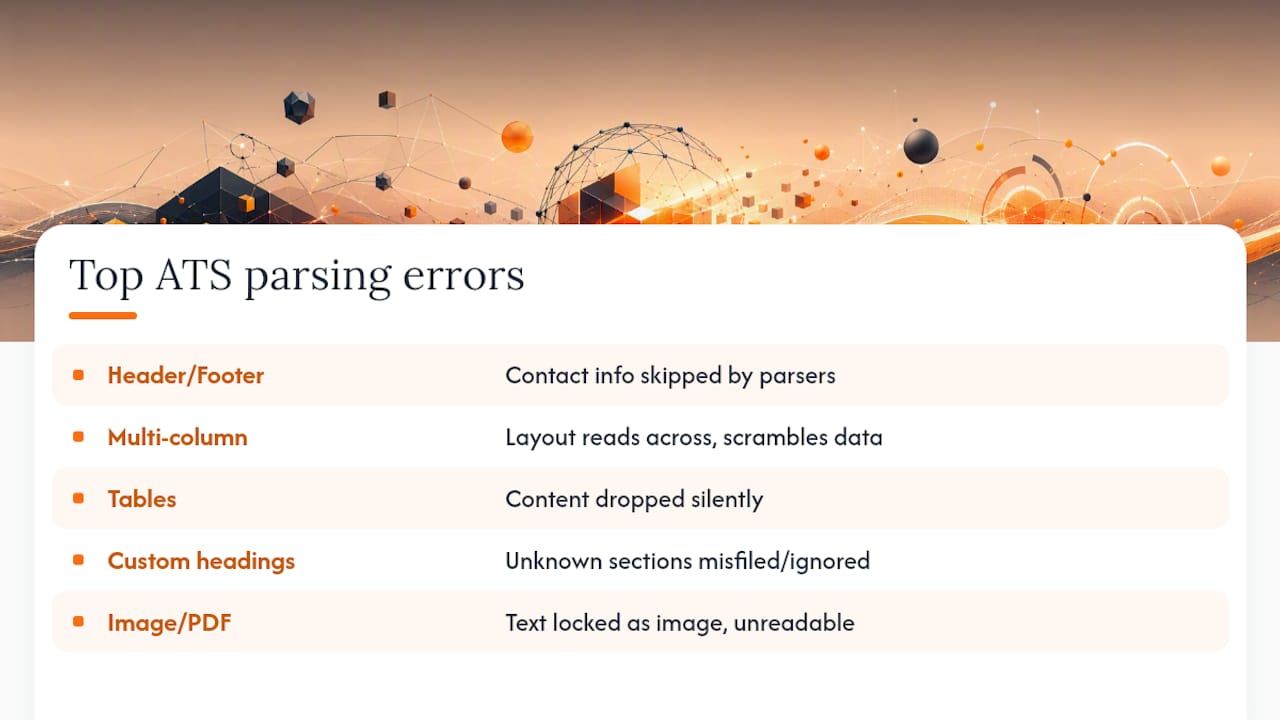
Third, tables used for skills or experience, which some systems can’t parse at all, dropping the content silently rather than flagging an error. Fourth, custom section headings like “Where I’ve Excelled” instead of “Work Experience,” which the parser doesn’t recognise as a standard category and may file under the wrong field or ignore. Fifth, image-based or PDF/A exports that lock the text layer, meaning the ATS sees a picture of a resume rather than readable text.
Every one of these is fixable with the checklist earlier in this article. The pattern across all five is the same: anything that depends on visual layout rather than a clean, linear sequence of labelled text is a risk. Build from a blank document, use standard headings, keep contact details in the body, and export as a genuine text-based file, and you eliminate the errors responsible for the overwhelming majority of ATS rejections that never reach a human reviewer.
Get an ATS-ready resume without rebuilding it every time
SparkCV gives you a faster route than manually reformatting a resume for every application: upload your existing resume and the job description, and it extracts your experience and generates a tailored, ATS-compliant resume, cover letter, and application answers built on the exact single-column structure this article walks through.
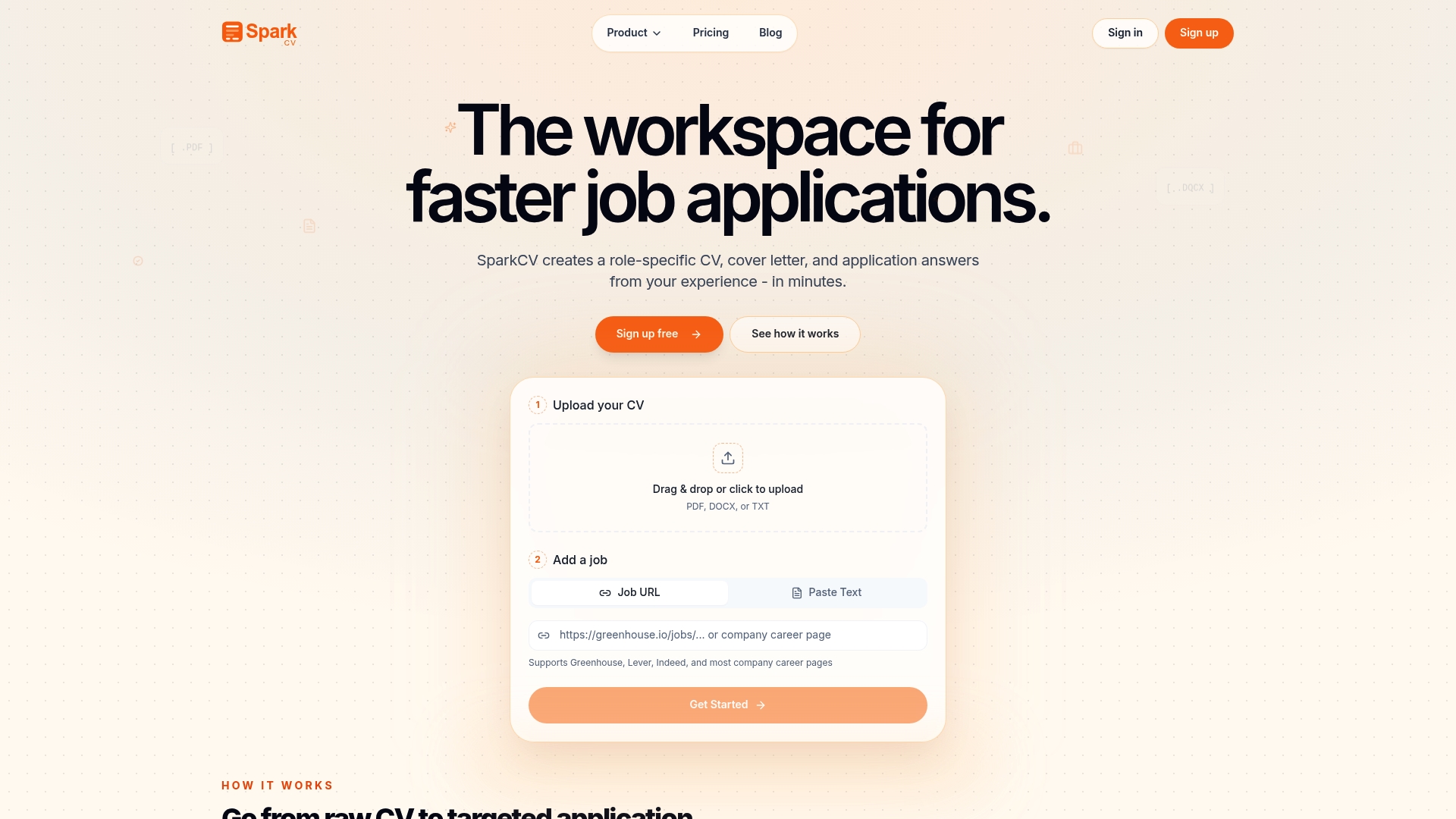
That matters most when you’re applying to several roles in the same week, each with its own dense job description and its own set of keywords to mirror. Instead of rebuilding your format from scratch and manually checking for tables or hidden headers each time, SparkCV keeps the structure consistent and adjusts the content, your Summary, Skills, and bullet points, to match what each posting is actually asking for. Explore SparkCV’s CV product to see how the extraction and export process works, or head to Sparkcv to upload your resume and generate your first tailored version.
Sources
Recommended reads
Keep exploring






Hear more from SparkCV
Leave your email for new articles, onboarding invites, and launch news.
We’ll only use this for SparkCV emails, and you can unsubscribe any time.