
What is a portfolio link on a CV and how to add one

A portfolio link on a CV is a direct, clickable URL that takes a recruiter straight to your online portfolio, where they can view real work rather than read claims about it. The best practice is simple: place a clean, descriptive URL in your contact header, hyperlink it in the PDF, and test it on mobile before you send. SparkCV can embed and verify that link during export, so it arrives correctly formatted and ATS-readable every time.
Quick checklist to get started:
- Add your portfolio URL to the contact section of your CV, directly beneath your name and email.
- Hyperlink the visible URL in your PDF so it is one click for the recruiter.
- Test the link in an incognito window on both mobile and desktop before submitting.
Pro Tip: Use your own domain name (for example, yourname.com/portfolio) rather than a platform subdomain. It signals ownership and professionalism from the first glance.
Table of Contents
- Why should you include a portfolio link on your CV?
- Which roles and situations most need a portfolio link?
- How do you get a portfolio link to put on your CV?
- Where exactly should you put the portfolio link on your CV?
- How should you format and label your portfolio link?
- What should you actually show inside your portfolio?
- Pre-send checklist: test your portfolio link before you apply
- Copyable examples: how the portfolio link should look on your CV
- How to customise your portfolio link for each job application
- Common mistakes and recruiter tips on portfolio links
- UK privacy and data protection when sharing portfolio links
- Accessibility best practices for portfolio links
- Key takeaways
- SparkCV makes it faster to get your portfolio link right
- Further reading and sources
Why should you include a portfolio link on your CV?
Recruiters spend only seconds scanning a CV. A clickable portfolio URL that opens immediately to a relevant project gives them something concrete to evaluate, rather than a list of bullet points they have to take on trust. That speed advantage alone makes a portfolio link worth adding.
A portfolio website is a persistent, searchable professional home you own. It demonstrates skills with real work and can rank on search engines, unlike social profiles — giving you a professional presence that works even when you are not actively applying.
The practical advantages stack up quickly:
- Immediate evidence. Case studies, live demos, and published work prove impact in a way that CV language cannot.
- Faster recruiter assessment. A clickable link lets hiring teams tab through your work without requesting attachments or scheduling a call.
- Credibility signals. A custom domain (yourname.com or yourname.dev) and a mobile-responsive site signal that you take your professional presence seriously.
- Always-on discoverability. Your portfolio can be found via search engines, shared on LinkedIn, and linked from email signatures, extending your reach beyond any single application.
Creative, technical, and analytical roles benefit most, but the principle applies broadly: showing work beats describing it.
Which roles and situations most need a portfolio link?
Not every application demands a portfolio, but for many roles it has become an expected part of the submission. Knowing where it matters most helps you prioritise the effort.
Roles where a portfolio link is close to mandatory:
- Designers (graphic, UX, product, motion)
- Developers and engineers (GitHub Pages or a live project site)
- Marketing and content professionals (campaign results, published articles, social media work)
- Data analysts and scientists (notebooks, dashboards, published research)
- Copywriters and journalists (published clips, case studies)
- Architects and creative directors (visual project documentation)
Situations where a link is particularly valuable:
- The job advert explicitly requests a portfolio or work samples.
- You are pitching for freelance or contract work, where a portfolio often replaces a formal interview stage. For social media and marketing freelancers, a well-structured social media portfolio can be the deciding factor in winning a brief.
- The role is portfolio-weighted, meaning hiring decisions lean heavily on demonstrated output.
When you can reasonably omit it:
- The application form explicitly states “CV and covering letter only” with no attachments or links.
- You are applying for a role where output is entirely confidential (certain legal, government, or security positions).
- Your field has no established portfolio convention (some finance or operations roles, for example).
How do you get a portfolio link to put on your CV?
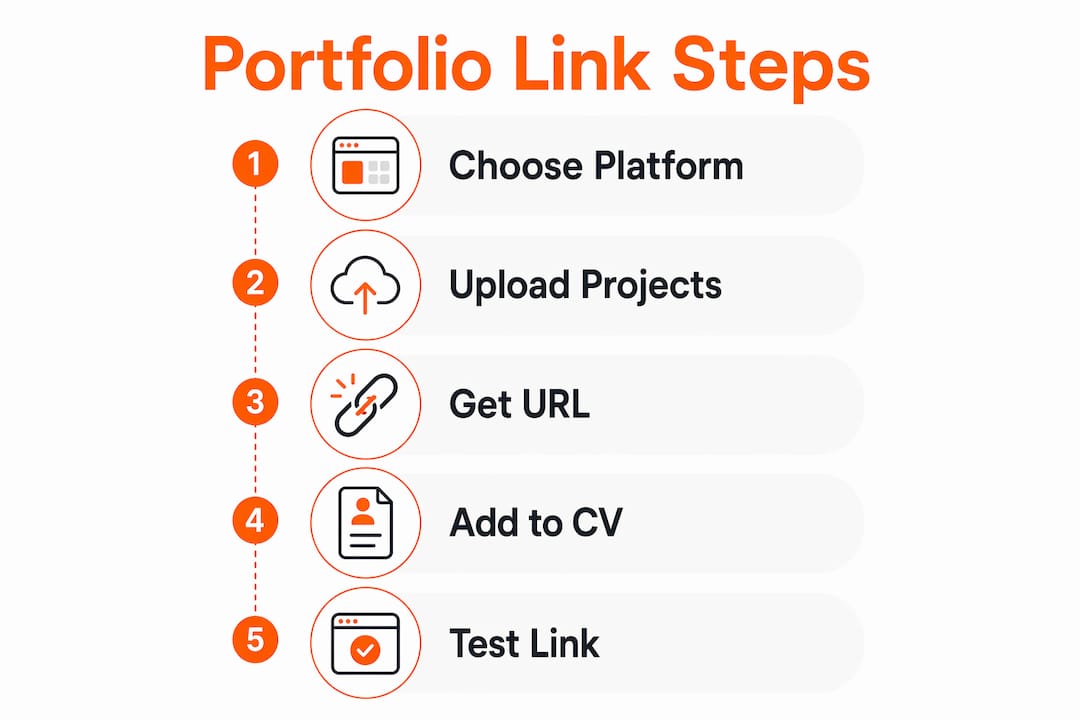
The fastest credible route is to choose a portfolio builder, upload three to six projects, and either use the platform’s hosted URL or connect a custom domain. Here is how the main options compare:

| Hosting option | Best for | Typical cost | Key consideration |
|---|---|---|---|
| Custom domain + portfolio builder | Most professionals | £10/year for domain | Strongest credibility signal |
| Platform subdomain (e.g. Behance, Dribbble) | Creatives in established communities | Free | Less control over branding |
| GitHub/GitLab Pages | Developers | Free | Requires basic Git knowledge |
| PDF hosted on a file-sharing service | Quick fallback only | Free | No interactivity; can expire |
A custom domain typically costs a small annual fee to register and is the single highest-return investment you can make in your portfolio’s credibility. Recruiters prefer browser-hosted portfolios over PDF collections because they allow fast tabbed comparison of multiple candidates.
One-hour portfolio setup checklist:
- Choose a template on your preferred platform.
- Upload three to six projects with titles and short descriptions.
- Add a brief bio and a contact method.
- Connect your custom domain or note your platform URL.
- Configure meta tags and an OpenGraph image so shared links preview correctly on LinkedIn and email.
Pro Tip: Do not wait until your portfolio is “perfect” before adding the link to your CV. A live page with three strong projects is more useful to a recruiter than a polished site that does not exist yet.
Where exactly should you put the portfolio link on your CV?
The contact header is the primary location. Place the URL on the same line as, or directly beneath, your email address. Recruiters are trained to look there first, so burying the link in a skills section or a footnote means it often goes unseen. A hyperlinked portfolio URL in the contact section also appears in LinkedIn, email signatures, and application materials for maximum discovery.
Placement options, in priority order:
- Contact header (primary). Directly under your name and email:
Jane Smith | jane@email.com | yourname.com/portfolio - Dedicated Portfolio line. A labelled line in the contact block:
Portfolio: yourname.com/portfolio - Within an experience bullet. Link directly to a relevant case study when describing a specific achievement: “Led rebranding project (case study: yourname.com/rebrand-2024)”
- Cover letter. Mention the link early, ideally in the opening paragraph or immediately after you reference a relevant project. For career changers, aligning the cover letter with your portfolio link reinforces the narrative shift.
For plain-text applications (some ATS portals strip formatting), paste the full URL as visible text rather than relying on a hyperlink. For PDF submissions, hyperlink the visible URL so it is both human-readable and clickable.
How should you format and label your portfolio link?

The label matters as much as the URL itself. Descriptive anchor text tells the recruiter what they will find before they click, and a clean URL signals that you manage your professional presence carefully.
Formatting rules to follow:
- Use the full, readable URL:
yourname.com/portfoliorather than a shortened link. - Avoid URL shorteners entirely. They can be blocked by ATS systems or flagged by corporate security filters, meaning your link simply never opens.
- In a PDF CV, hyperlink the visible URL so clicking it works without copy-pasting.
- For printed CVs, add a QR code alongside the URL. Size it so it is easily scannable, and label it clearly: “Scan to view portfolio.”
- For ATS compatibility, always include the plain URL in the contact section, even if you also use anchor text elsewhere.
Example label that works for both humans and parsers:
Portfolio: yourname.com/portfolio
That format is readable at a glance, parseable by ATS, and clickable in a PDF.
What should you actually show inside your portfolio?
Quality beats quantity. Include 3–10 of your most relevant projects rather than an exhaustive archive. Each project page should follow a clear case-study structure: the goal, your specific role, the tools or process you used, and a measurable outcome.
For each project, include:
- A short title and one-sentence summary.
- At least one image, screenshot, or visual output.
- Brief process notes (what you did, not just what was produced).
- Measurable outcomes where possible: conversion uplift, time saved, traffic growth, citation counts, or KPIs.
| Project element | Why it matters |
|---|---|
| Goal | Shows you understood the brief |
| Your role | Clarifies your individual contribution |
| Tools used | Signals technical fit for the role |
| Measurable outcome | Proves impact, not just activity |
Beyond individual projects, your portfolio should load quickly (aim for under three seconds), display correctly on mobile, and include a clear bio and contact method. Tracking your achievements over time makes it easier to keep the portfolio current. SparkCV’s career log is built for exactly this: capturing wins as they happen so you are never scrambling to remember metrics when you update your portfolio.
Pro Tip: Write your outcomes in the same language as the job description. If the advert mentions “conversion rate optimisation,” use that phrase in your project outcome, not a synonym.
Pre-send checklist: test your portfolio link before you apply
A broken or inaccessible link is one of the most common reasons a recruiter moves on without viewing your work. Run through this checklist before every application.
- Open the link in an incognito or private browser window to confirm it is publicly accessible.
- Test on a mobile device — many recruiters review CVs on their phones.
- Test on desktop in at least two browsers (Chrome and Safari cover most cases).
- Click every link inside the portfolio to confirm they open correctly, ideally in new tabs.
- Check that images, videos, and embedded media load without errors.
- Confirm no pages are password-protected without clear access instructions.
- Review any client work for confidentiality: remove or anonymise anything that breaches a non-disclosure agreement, in line with UK GDPR obligations.
- Check your CV PDF: open it, click the hyperlinked URL, and confirm it goes to the right page.
- Verify the CV filename is professional (e.g.
JaneSmith-CV-2026.pdf, notCV-final-v3-ACTUAL.pdf).
Also confirm:
- Your contact details appear on the portfolio itself, not just on the CV.
- Any password-protected case studies include the password or a clear request instruction.
- The URL in the PDF matches the URL you intend to share (easy to miss after a domain change).
Copyable examples: how the portfolio link should look on your CV
These are ready-to-paste formats. Adapt the URL and name to your own details.
Contact header (digital CV, hyperlinked):
Jane Smith
jane.smith@email.com | linkedin.com/in/janesmith | yourname.com/portfolio
Contact header (plain text for ATS portals):
Portfolio: https://yourname.com/portfolio
In-experience bullet linking to a specific project:
Led end-to-end UX redesign of checkout flow, reducing drop-off by 18%
(case study: yourname.com/checkout-redesign)
Printed CV with QR code:
Portfolio: yourname.com/portfolio [QR code] Scan to view work samples
Cover letter opening reference:
My portfolio at yourname.com/portfolio includes three case studies directly
relevant to this role, including a campaign that increased organic traffic by 40%.
Acceptable URL formats: yourname.com/portfolio, yourname.dev/work, yourname.com/case-studies. Avoid platform subdomains as your primary link if a custom domain is available.
How to customise your portfolio link for each job application
A single static portfolio URL works, but a tailored landing page per application can meaningfully improve how relevant your work appears to each hiring team.
Practical tactics:
- Create a short landing page for a specific role type (e.g.
yourname.com/for-ux-roles) that leads with the two or three projects most relevant to that application. - Pin the most relevant project at the top of your main portfolio when applying to a specific employer, then reorder after the application closes.
- Adjust the visible anchor text in your cover letter to match the role: “My data analysis portfolio” for an analyst role, “My content portfolio” for an editorial one.
Pro Tip: Use SparkCV’s CV tailoring checklist alongside your portfolio customisation. Aligning your CV keywords and your portfolio project titles to the same job description creates a consistent, coherent application that is harder to overlook.
When to create a temporary tailored page versus reusing your main portfolio comes down to time versus impact. For a role you are genuinely excited about, a dedicated landing page takes under an hour and can make a significant difference. For speculative applications, reordering your main portfolio is sufficient.
Common mistakes and recruiter tips on portfolio links
The most frequent errors are also the easiest to fix. Knowing what recruiters actually do when they see a portfolio link helps you avoid the ones that cost you.
Common mistakes:
- Broken links. The single most damaging error. Test every time, not just when you first create the link.
- Password-protected pages with no instructions. Recruiters will not email you to ask for access; they will move on.
- URL shorteners. Blocked by ATS and flagged by security filters; use the full URL.
- Slow-loading pages. A portfolio that takes more than three seconds to load loses most viewers before they see a single project.
- Burying the link. Placing it in a footnote or a skills section means it is often missed entirely.
- Outdated work. An outdated portfolio raises questions about current capability.
Treat the portfolio link as your professional handshake: place it where hiring teams expect to find it and make sure it opens to immediately relevant evidence for the role you are applying to. A recruiter who clicks and sees something relevant within two seconds is far more likely to keep reading.
Quick fixes:
- Broken link: update the URL in your CV and re-export the PDF.
- Password protection: either make the page public or add the password in your cover letter.
- Slow load: compress images and remove autoplay video from the landing page.
- Buried link: move it to the contact header today. A CV rejected before it is read is often one where the recruiter could not find the evidence they were looking for quickly enough.
UK privacy and data protection when sharing portfolio links
Sharing a portfolio online means making some of your professional work publicly accessible, and in the UK that carries specific obligations under the UK General Data Protection Regulation (UK GDPR) and the Data Protection Act 2018.
The key considerations are:
- Client confidentiality. If your portfolio includes work produced for a client, check whether your contract or NDA permits public display. When in doubt, anonymise the client name and any identifying data before publishing.
- Third-party personal data. If a project involved processing personal data (user research, customer records, survey responses), do not include identifiable information in case studies. Aggregate or anonymise findings.
- Your own data. Be deliberate about what personal information you include on your portfolio site. A professional email address and LinkedIn profile are sufficient contact details; your home address and phone number are not necessary on a public page.
- Cookies and analytics. If your portfolio site uses analytics tools (Google Analytics, for example), you are likely required to display a cookie consent notice under the UK Privacy and Electronic Communications Regulations (PECR).
A short, clear privacy notice on your portfolio site is good practice and signals professionalism to any hiring team that notices it.
Accessibility best practices for portfolio links
An accessible portfolio reaches more people and reflects well on your professional standards, particularly for roles in design, product, or public-sector work where accessibility is part of the job.
Follow these practices to meet the Web Content Accessibility Guidelines (WCAG) 2.1 AA standard, which is the benchmark referenced in UK public sector accessibility regulations:
- Descriptive link text. Never label a link “click here.” Use text that describes the destination: “View the checkout redesign case study.”
- Sufficient colour contrast. Text and background colours should meet a minimum contrast ratio of 4.5:1 for normal text.
- Alt text for images. Every project image should have a meaningful alt attribute describing what it shows.
- Keyboard navigation. Confirm your portfolio can be navigated entirely by keyboard, without a mouse.
- Tap target size. Interactive elements (buttons, links) should be large enough to tap comfortably on a touchscreen, in line with WCAG 2.5.5 guidance.
- Readable font sizes. Body text at 16px or above is the standard starting point.
- Captions for video. Any video content should include accurate captions.
Testing with a screen reader (NVDA on Windows or VoiceOver on Mac are free options) takes under thirty minutes and will surface the most significant barriers quickly.
Key takeaways
A portfolio link on your CV is most effective when it is placed in the contact header, uses a clean custom-domain URL, and opens directly to work that is relevant to the role you are applying for.
| Point | Details |
|---|---|
| Place it in the contact header | Put the URL directly under your name and email so recruiters find it immediately. |
| Use a clean, custom-domain URL | A custom domain costs roughly £10–15 per year and is the strongest credibility signal available. |
| Include 3–10 curated projects | Select your best, most relevant work rather than an exhaustive archive. |
| Test before every application | Check the link in incognito mode on mobile and desktop; confirm no pages are password-protected without instructions. |
| Use SparkCV to tailor and export | SparkCV embeds and verifies portfolio links during CV export, keeping formatting ATS-friendly and accurate. |
SparkCV makes it faster to get your portfolio link right
Getting your portfolio link placed, formatted, and tested correctly is straightforward once you know the steps. The harder part is making sure the rest of your CV is equally well-matched to the role you are applying for.
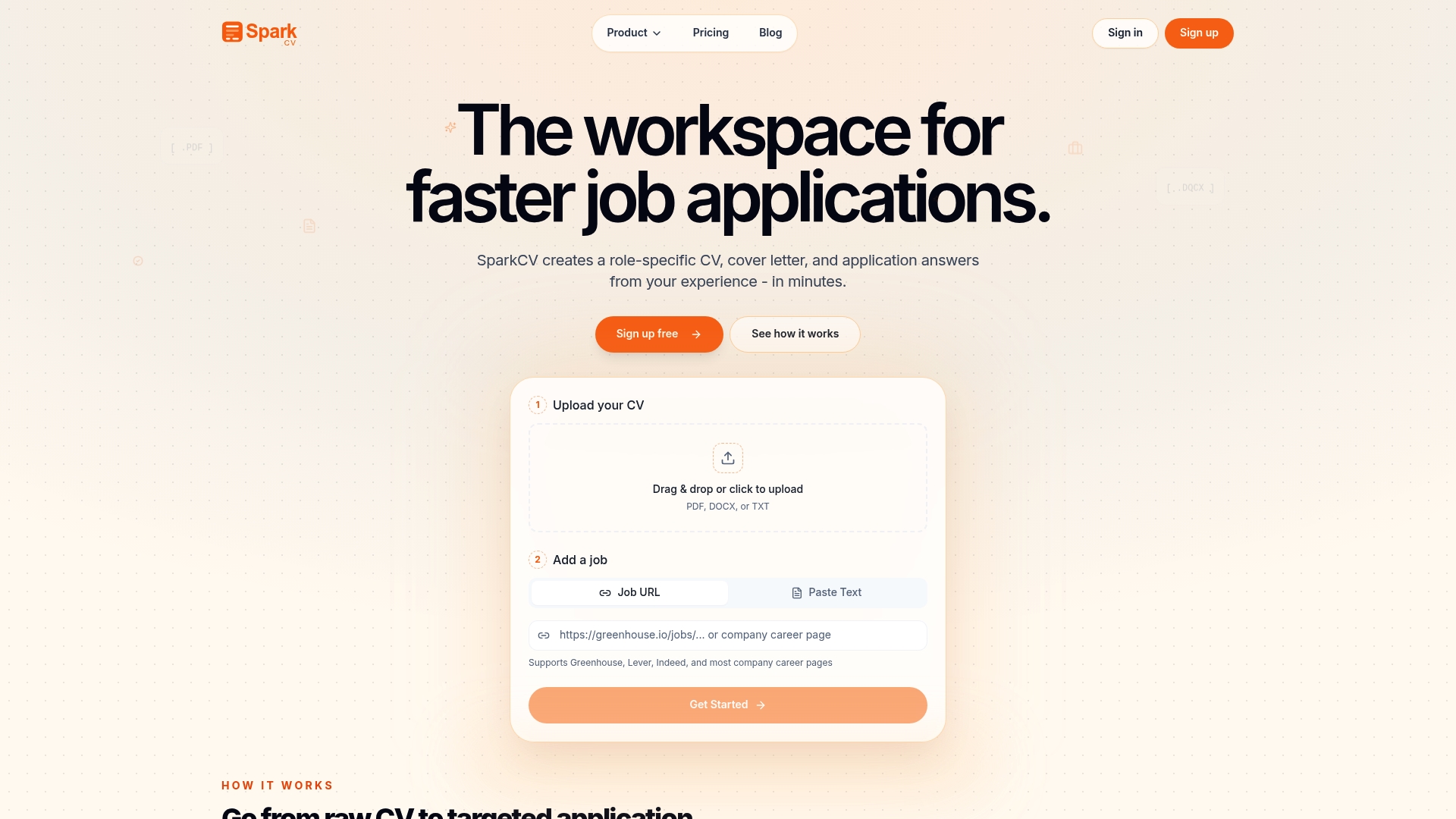
SparkCV handles the time-consuming work of tailoring your CV to each job description, extracting the most relevant experience from your existing materials and producing an ATS-friendly document with your portfolio link correctly embedded. You get a polished, exportable CV and cover letter in minutes, not hours, with the portfolio URL formatted for both human readers and applicant tracking systems. For anyone applying to multiple roles, that consistency across applications is where the real time saving shows up.
Start tailoring your CV with SparkCV and get your first application ready today.
Further reading and sources
- WordSCR: What is a portfolio link in a CV? — Clear definition and overview of how portfolio links function in job applications.
- Path Blog: How to build a portfolio website — Covers custom domains, meta tags, OpenGraph setup, and credibility signals.
- InfluenceFlow: How to link to your portfolio effectively — Practical guidance on URL formatting, ATS compatibility, and placement.
- Twine: CV vs résumé vs portfolio — Explains the difference between document types and recommended project counts.
- CareerAddict: CV, résumé and portfolio — Recruiter behaviour and when each document type is appropriate.
- SparkCV product: CV tailoring — How SparkCV exports ATS-friendly CVs with embedded portfolio links.
- SparkCV: Career log — Tool for tracking achievements and keeping portfolio content current.
- RemoteProfitly: How to build a social media portfolio — Step-by-step portfolio structure for marketing and social media professionals.
Recommended reads
Keep exploring






Hear more from SparkCV
Leave your email for new articles, onboarding invites, and launch news.
We’ll only use this for SparkCV emails, and you can unsubscribe any time.