
Entry-level job application formats: a quick guide for graduates

There are five main types of entry-level job application formats used by UK employers: the employer’s online application form, a paper form, an emailed application (CV plus covering letter), an agency or job portal submission, and LinkedIn or one-click apply. The single best rule: always use the format the employer requests. If you have limited paid experience, lead with your education and projects rather than a sparse work history.
The five formats at a glance:
- Employer online application form (most common for graduate schemes and volume hiring)
- Paper form (still used for local retail, hospitality, and some public sector roles)
- Emailed application: CV attached with a covering letter in the body or as a separate file
- Agency or job portal application (Reed, Totaljobs, CV-Library)
- LinkedIn Easy Apply or one-click portal submissions
Key takeaways
Choosing the right format and completing it accurately are the two decisions that most directly affect whether your entry-level application reaches a recruiter’s desk.
| Point | Details |
|---|---|
| Follow the requested format | Always use the format the employer specifies; never substitute a CV where a form is required. |
| Lead with education if early-career | Place Education above Experience when you have fewer than three substantive work entries. |
| Mirror keywords precisely | Copy exact noun strings from the job description into your answers and CV skills section. |
| Keep attachments ATS-safe | Use .docx, single-column layout, and standard section headings for every uploaded document. |
| Run the checklist before submitting | Check mandatory fields, consistent dates, correct file type, and tailored keywords quickly. |
Table of Contents
- What each entry-level application format looks like
- How to complete the common sections on application forms
- How to tailor answers when you have limited paid experience
- What you need to know about ATS and formatting
- Where to find UK-ready templates and how to use them
- Your pre-submit checklist
- SparkCV: faster tailoring for UK applicants
- Sources
What each entry-level application format looks like
Understanding the differences between formats helps you prepare the right materials before the deadline arrives.
Employer online application form — Structured fields, dropdown menus, and mandatory free-text questions. Employers use these for volume hiring and structured shortlisting because every candidate answers the same questions, making scoring straightforward. The trade-off for you: you cannot reorder sections or add a design flourish, so your answers must do all the work.
Paper form — Rare in 2026, but still used by some local retailers, hospitality venues, and smaller public sector bodies. You fill it in by hand or download a PDF. Bring a spare copy; ink smudges happen.
Emailed application — Common with SMEs and for speculative approaches. Attach your CV as a .docx file and write a covering letter either in the email body or as a second attachment. A strong entry-level covering letter follows business letter format, opens with a concise sentence demonstrating genuine interest, includes specific evidence, and closes with a clear call to action.
Agency or job portal submission — Platforms such as Reed or Totaljobs parse your uploaded CV into their own fields. Employers see a standardised profile rather than your original document, so ATS-friendly formatting matters even more here.
LinkedIn Easy Apply / one-click — Fast but limited. You submit a pre-filled profile, sometimes with a few short answers. Employers receive less tailored information, so use this route only when the role is a strong match and you have already updated your LinkedIn profile to mirror the job description.
Employers use standardised application forms to compare candidates efficiently. Applicants should focus on concise, evidence-backed answers to the required fields rather than trying to reformat or reorder the employer’s structure.
Quick pros and cons for entry-level applicants:
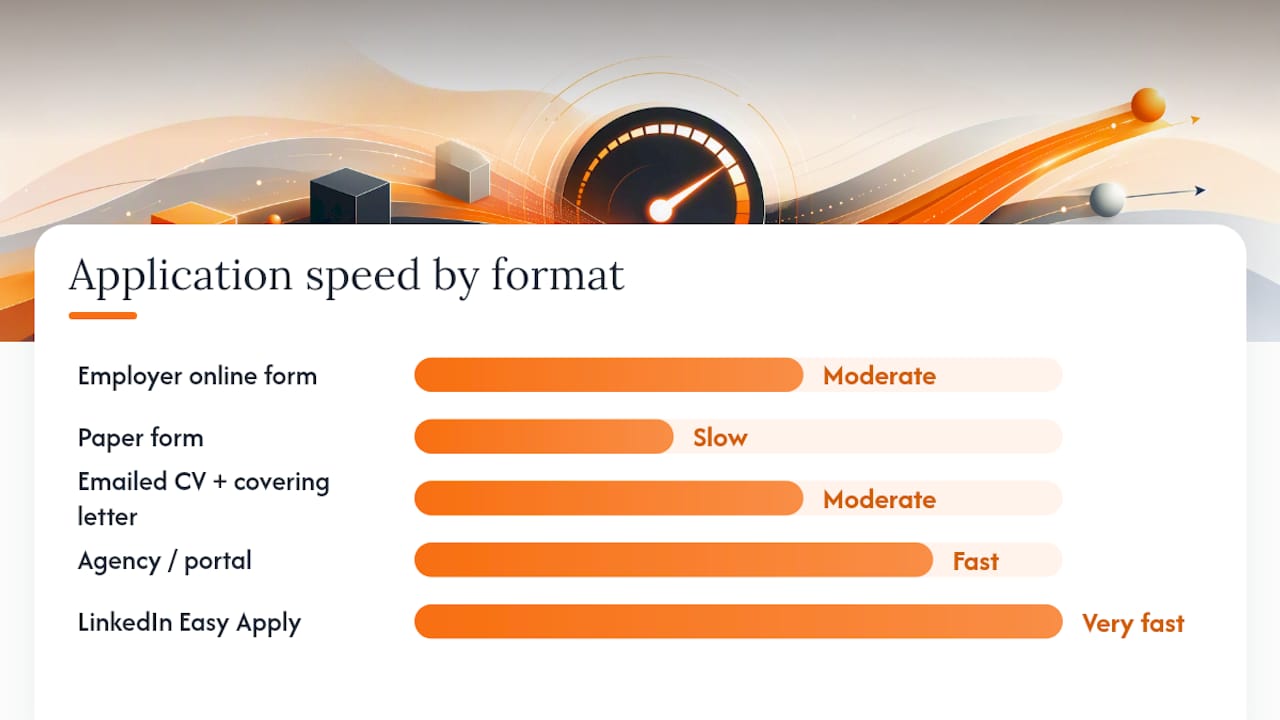
| Format | Speed | Ability to tailor | ATS risk |
|---|---|---|---|
| Employer online form | Moderate | High (free-text fields) | Low (no parsing) |
| Paper form | Slow | Moderate | None |
| Emailed CV + covering letter | Moderate | High | Medium (if CV is poorly formatted) |
| Agency / portal | Fast | Low (parsed fields) | High |
| LinkedIn Easy Apply | Very fast | Low | High |
How to complete the common sections on application forms
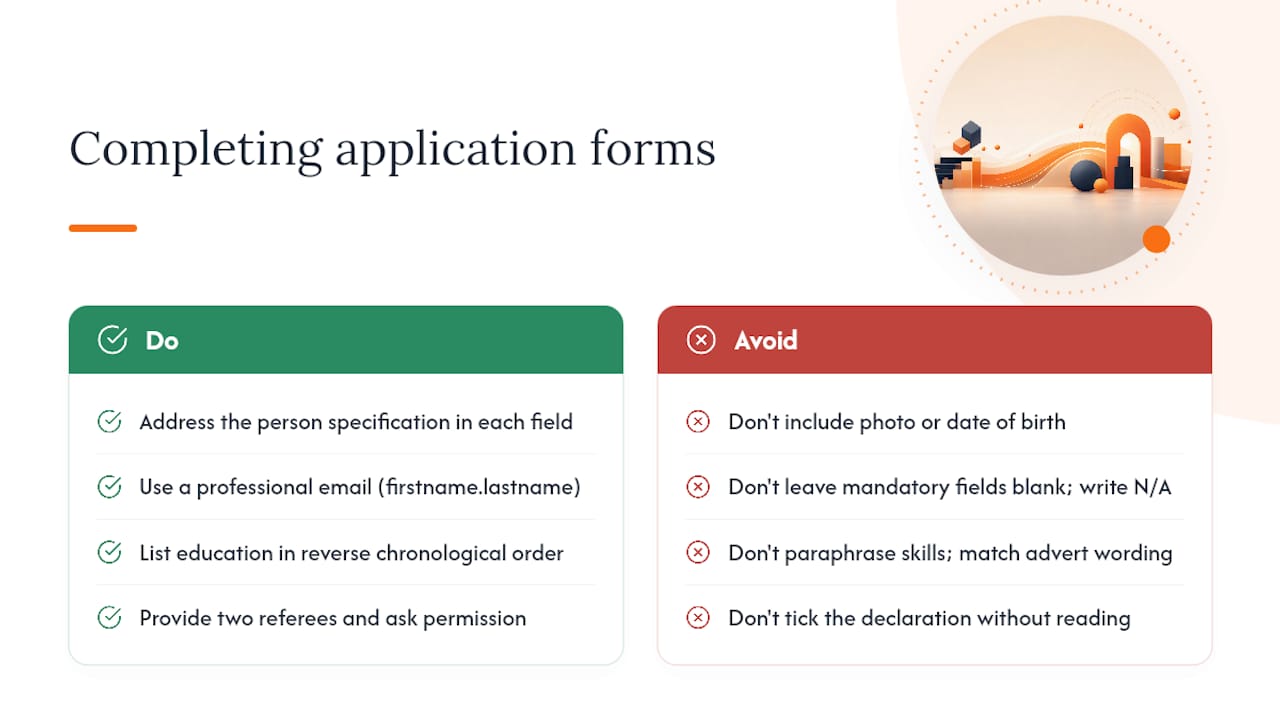
Application forms from UK employers typically request personal information, employment eligibility, education, previous employment, references, and a consent or declaration section. The Open University’s guidance on application forms advises applicants to address the person specification directly in each relevant field, treating each question as a scoring opportunity rather than a free-form essay.
Personal details — Name, address, email, phone. Use a professional email address (firstname.lastname format). No need to include date of birth or a photo unless explicitly requested.
Eligibility to work — A simple yes/no field for most UK applicants. If you hold a visa, state the type and expiry date clearly.
Education — List in reverse chronological order. Include institution, qualification, grade (or predicted grade), and dates. For A-levels, list subjects and grades individually.
Employment history — For entry-level roles, part-time jobs, Saturday positions, and work placements all count. Use the format: job title, employer, dates, two-line summary of duties and one outcome. Example micro-phrase: “Served 80+ customers daily; reduced average queue time by reorganising till layout.”
Skills — Match the language in the job advert. If the advert says “proficient in Microsoft Excel,” write exactly that rather than “good with spreadsheets.”
Referees — Provide two: ideally a teacher or lecturer and a line manager from any paid or voluntary role. Always ask permission before listing someone. If you have no work referee, a community volunteer coordinator or sports coach is acceptable.
Declaration — Read it before ticking. You are confirming the information is accurate. Errors here can result in withdrawal of an offer.
Pro Tip: If a mandatory field genuinely does not apply to you (for example, a “previous salary” box when you have only had unpaid placements), write “N/A — entry-level applicant” rather than leaving it blank. Some systems flag empty mandatory fields as incomplete.
How to tailor answers when you have limited paid experience
The rule is straightforward: if you have fewer than three substantive work entries, place Education above Experience and expand your class projects and volunteering into labelled experience entries. Entry-level CVs should be one page in reverse-chronological order, with quantified bullets for projects.
A STAR micro-example adapted for entry-level:
Situation: Final-year group project, BSc Business Management, University of Leeds. Task: Led a four-person team to analyse customer churn for a simulated retail client. Action: Built a dashboard in Google Sheets; ran weekly stand-ups to keep the team on schedule. Result: Delivered a 12-page report two days early; received a distinction grade.
Label this entry clearly: “Capstone project — Customer churn analysis (University of Leeds, 2025).” That label tells a recruiter immediately that it is academic work, which is honest and still credible.
Six tactics for entry-level tailoring:
- Quantify class projects: grades, word counts, team sizes, or percentage improvements all work.
- Name the tools you used: Python, Canva, Salesforce, Adobe Premiere — specifics beat generics.
- Label academic work as such; never present it as paid employment.
- Use action verbs with scope and outcome: “Coordinated,” “Analysed,” “Presented to,” not just “Helped with.”
- List 6–10 targeted hard skills drawn directly from the job description; a soft-skills dump (“good communicator, team player, hardworking”) adds no value without evidence.
- Use SparkCV’s career log to capture project details, grades, and outcomes as you go — pulling them into an application later takes seconds rather than minutes of memory-searching.
Pro Tip: Showing soft skills through concrete examples is far more persuasive than listing them as adjectives. Replace “strong communicator” with “presented findings to a panel of 15 academics.”
What you need to know about ATS and formatting
Many UK employers route uploaded CVs and portal submissions through an Applicant Tracking System before a human reads them. Poor formatting can cause your content to disappear entirely. A CV rejected before it is read is a common outcome for applicants who use decorative templates.
Six ATS-friendly checks:
- Simple font: Arial, Calibri, or Georgia at 10–12pt. No decorative typefaces.
- Single-column layout: Two-column designs often parse in the wrong order.
- Standard section headings: “Education,” “Work Experience,” “Skills” — not creative alternatives like “My Story.”
- Mirrored keywords: Copy exact noun strings from the job description (e.g., “stakeholder management,” not “managing stakeholders”).
- No images, logos, or text boxes: Parsers skip them; your contact details could vanish.
- Correct file format: Submit as .docx unless the advert explicitly permits PDF. Templates are commonly available in PDF, Word, and OpenDocument formats, but .docx remains the safest choice for ATS compatibility.
Functional or skills-only CV formats, which group experience by skill category rather than date, confuse most ATS systems and are best avoided for entry-level applications. Reverse-chronological is the standard, and it works.
Pro Tip: When pasting answers into an online form’s free-text box, always paste as plain text first (Ctrl+Shift+V on Windows), then reformat. Rich-text formatting copied from Word sometimes renders as symbol strings in employer systems.
For a full CV tailoring checklist covering keyword matching and ATS checks, the SparkCV blog has a dedicated step-by-step guide.
Where to find UK-ready templates and how to use them
Reputable UK sources give you a solid starting point without the risk of using a template built for a different market’s conventions.
Job application templates help employers gather the same information from each candidate, and quality templates include contact details, position title, education, job history, certifications, and availability fields.
| Template source | Best use case | Entry-level adaptation tip |
|---|---|---|
| Acas job application form template | Standard employer application form (downloadable) | Replace placeholder text with specific role details; remove any field that does not apply |
| Open University guidance | Understanding how to answer form sections | Use the person-specification checklist to map your answers before typing |
| eForms employer template | Blank employer form in PDF or Word | Download the .docx version; complete digitally for ATS compatibility |
| Indeed template guidance | Covering letter and CV structure reference | Follow the section order; adapt the opening line to the specific employer |
Using templates safely:
- Treat every template as a starting point, not a finished document.
- Replace all placeholder text before submitting; a recruiter who sees “[Your Name]” in a submission will not shortlist you.
- For emailed applications, paste your covering letter into the email body as well as attaching it — some email clients block attachments.
- For online forms, do not attach a separate CV unless the form explicitly asks for one; duplicate information wastes the recruiter’s time.
Your pre-submit checklist
Run through this before you hit submit on any format.
- All mandatory fields completed (no blank required boxes)
- Dates are consistent across education, employment, and the form header
- Referees are named, with correct job titles and contact details
- File format is .docx (or PDF only if the advert permits it)
- No images, headers, footers, or text boxes in uploaded documents
- Correct job title and reference number selected in the application
- Keywords from the job description appear in your answers and CV
- Covering letter (if required) names the specific role and employer
- Spelling and grammar checked — read aloud once to catch missed words
- You have saved a copy of every answer before submitting
Following up after submission: Wait at least five working days after the advertised closing date, then send a brief, polite email to the recruiter or HR contact confirming your application is complete and reiterating your interest. Keep it to two sentences; do not ask for feedback at this stage.
SparkCV: faster tailoring for UK applicants
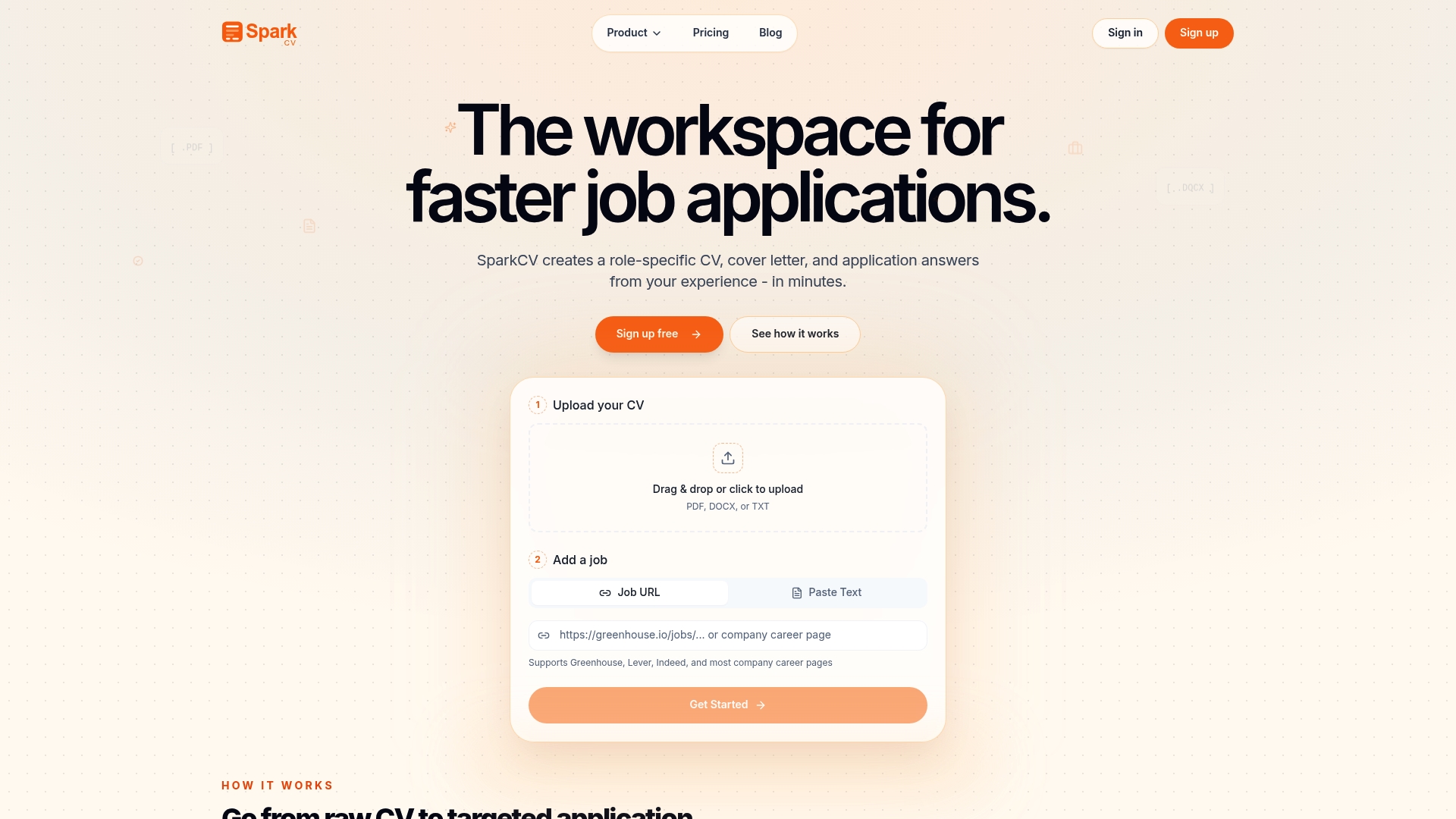
Repeating the same application process across ten different formats is where most entry-level applicants lose time and consistency. SparkCV addresses this directly. Upload your existing CV and paste in the job description; SparkCV extracts your relevant experience, mirrors the job’s keywords, and generates a tailored CV, covering letter, and answers to application questions in minutes.
A practical workflow for online forms: use SparkCV’s application question generator to draft answers to free-text fields, then add one specific project detail or number before pasting the answer into the employer’s form. That one addition keeps the answer truthful and personal rather than generic.
For emailed applications, export a tailored CV directly from SparkCV’s CV export tool in .docx format, ready for ATS submission. The export uses a single-column layout with standard section headings by default.
Pro Tip: Always review automated answers against the job description before submitting. Add one concrete detail — a grade, a tool name, a team size — that only you could write. That specificity is what separates a tailored answer from a template.
SparkCV is free to try. Generate your first tailored CV or covering letter and see how quickly a targeted application comes together.
Sources
- Understanding application forms: Job … - Help Centre
- Free Job Application Forms (2) - PDF | Word – eForms
- Entry level resume examples — Foundrole
- The entry-level job cover letter that will get you noticed | Handshake
- Job Application Forms (With Template and Sample Downloads)
- Your CV, education and work experience - Career Advice (jobs.ac.uk)
Recommended reads
Keep exploring






Hear more from SparkCV
Leave your email for new articles, onboarding invites, and launch news.
We’ll only use this for SparkCV emails, and you can unsubscribe any time.