
Test your CV against a job description: get interview-ready

You can test your CV against any job description right now and get an instant match score, a list of missing keywords, and prioritised fixes you can apply before you hit submit. Tools like SparkCV handle this in minutes, making it practical for any UK role, whether you are applying to an NHS Band 6 post, a Civil Service Fast Stream vacancy, or a FTSE-listed corporate role.
Here is the three-step process to follow immediately:
- Upload or paste your CV in DOCX or TXT format alongside the full job description.
- Run the scan to receive a match score, flagged missing keywords, and any formatting warnings.
- Apply the top three fixes the report identifies, typically a job title alignment, two or three missing skills, and one measurable achievement.
If you are applying to roles where ATS filtering is almost certain, such as NHS jobs via NHS Jobs, Civil Service roles on Civil Service Jobs, or large-employer postings on LinkedIn or Indeed, running this check is not optional. It is the difference between being seen and being filtered.
Table of Contents
- How to test your CV against a job description in under five minutes
- What ATS actually checks, and why your match score can mislead you
- Common ATS problems in UK CVs and exactly how to fix them
- How to read a match report and prioritise your edits
- ATS-friendly CV formats and export settings
- How SparkCV analyses your CV and handles your data
- Key takeaways
- SparkCV cuts the time from match report to polished application
How to test your CV against a job description in under five minutes
Match reports return results in under a minute when you follow a clean workflow. Here is the exact process.
Step 1: Prepare your CV and copy the full job description. Open the job advert on LinkedIn, Indeed, or GOV.UK. Copy the entire description, including the “essential” and “desirable” criteria sections, not just the headline. Truncated job descriptions produce weaker match scores because the tool has less to compare against.

Step 2: Upload your CV in the right format. DOCX and TXT files parse most reliably; PDFs can fail if they contain text embedded in images or use unusual fonts. If your current CV is a PDF, open it in Word or Google Docs and export it as DOCX before uploading.
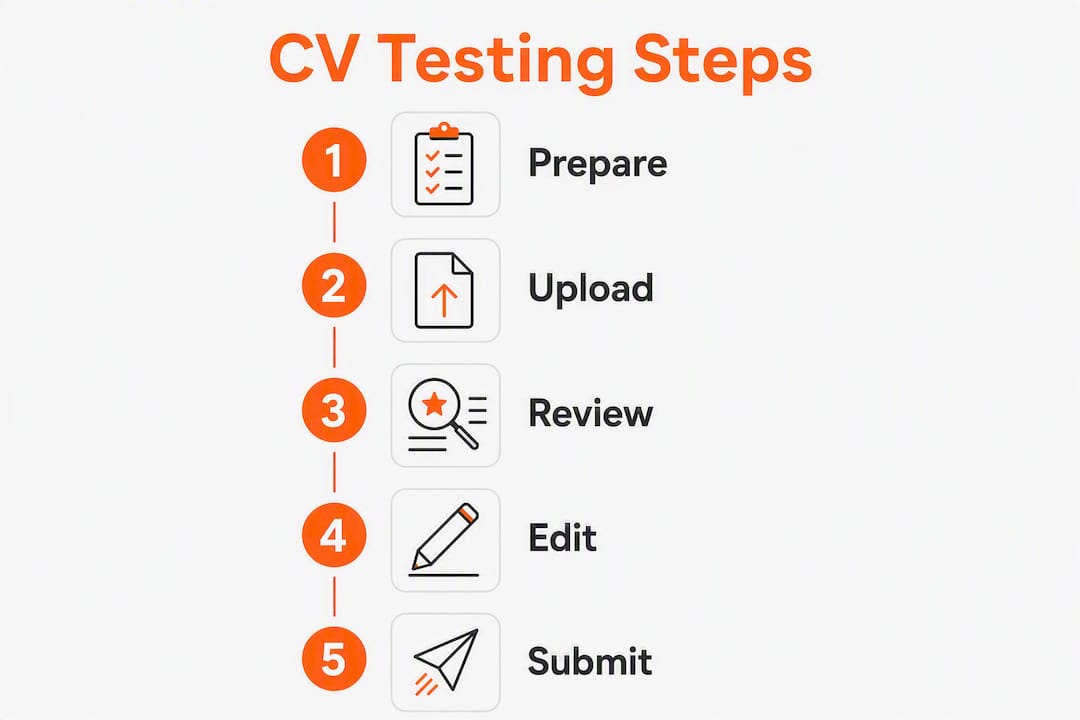
Step 3: Review the report and make the minimum viable edits. Most match reports show a single score plus breakdowns for missing keywords, matched sections, and formatting issues. Focus on the top three gaps first. Adding the exact job title from the advert to your professional summary, inserting two or three missing technical skills into relevant bullet points, and quantifying one achievement per role will move your score meaningfully.
Pro Tip: When copying a job description from LinkedIn, click “See more” to expand the full listing before selecting text. LinkedIn truncates descriptions by default, and a partial paste will miss keywords buried in the essential criteria.

What ATS actually checks, and why your match score can mislead you
Applicant tracking systems do not read CVs the way a recruiter does. The process runs in four stages: parse the document into structured fields, extract and normalise terms, score relevance against the job description, then rank candidates. A CV that scores 85% on a matcher is not guaranteed an interview; it is simply less likely to be filtered before a human sees it.
UK public-sector hiring illustrates this well. NHS job adverts on NHS Jobs use Agenda for Change banding, and the ATS may weight terms like “CQC-registered”, “NMC pin”, or “Band 5 equivalent” as hard requirements rather than optional keywords. Civil Service job specifications often include Success Profiles competencies, and a CV that does not reflect those exact phrases can score poorly even when the candidate is genuinely qualified. Using sector-specific acronyms correctly increases the chance both the ATS and the human reviewer recognise role relevance.
Two further limits are worth knowing. First, weighted keyword frequency models reward proportionate appearances of a term rather than raw repetition, which means stuffing “project management” into every bullet will not improve your score and may flag your CV as low-quality. Second, AI contextual analysis goes further than keyword matching by assessing responsibilities, seniority, and transferable experience, but even that layer cannot replicate the judgement of a recruiter who knows the team. Treat the score as a diagnostic, not a verdict.
For a deeper look at soft-skill keyword matching, which ATS systems increasingly weight alongside technical terms, it is worth reviewing how those terms are phrased in the job description before you edit.
Common ATS problems in UK CVs and exactly how to fix them
Most ATS failures come from a small set of predictable mistakes. Each one has a direct fix.
| Problem | Fix |
|---|---|
| Graphics, logos, or text in image boxes | Remove all images; use plain text for your name and contact details |
| Tables used for layout | Replace with single-column text; ATS parsers often skip table cells entirely |
| Missing standard section headings | Add “Professional Summary”, “Experience”, “Education”, “Certifications” as plain text headings |
| Unusual fonts or decorative headers | Switch to Arial, Calibri, or Georgia at 10–12pt; remove coloured header bars |
| Job title in CV does not match advert title | Add the exact advert title to your professional summary in brackets or as a subtitle |
| UK-specific acronyms absent | Include “CQC”, “NHS”, “PRINCE2”, or equivalent once in a relevant bullet |
Before/after achievement bullet example:
Before: “Managed a team and improved patient outcomes.”
After: “Led a seven-person nursing team across two wards, reducing CQC-flagged incident reports by 30% over six months.”
The revised bullet adds a measurable result, names the team size, and includes “CQC” as a sector keyword, all without sounding forced.
Missing keywords can be copied directly from most match reports into your CV, which makes targeted edits quick. The must-have sections for any UK CV are:
- Contact details (name, phone, professional email, LinkedIn URL)
- Professional summary (three to four lines, role-title aligned)
- Work experience with dates in reverse chronological order
- Education with institution names and qualification grades
- Certifications and professional memberships where relevant
How to read a match report and prioritise your edits
Match reports separate scores by component: technical skills, soft skills, title and education matches, and hard requirements such as years of experience or specific certifications. That breakdown tells you where to spend your editing time.
Follow this order:
- Fix the job title alignment first. If the advert says “Senior Business Analyst” and your CV says “Lead BA”, add the full title to your professional summary. Title matching is the single highest-weighted field in most ATS systems.
- Add the three most repeated skills from the job description. Count how many times a term appears in the advert. The top three are the ones the hiring manager cares about most; weave each into an existing bullet rather than creating a standalone skills list.
- Quantify one achievement per role. Numbers make bullets scannable for human reviewers after the ATS passes your CV through. Even a rough figure (“reduced processing time by approximately 20%”) outperforms a vague claim.
Secondary edits, if you have time, include adding synonyms for key terms (for example, “stakeholder management” alongside “client liaison”), reorganising sections so the most relevant experience appears above the fold, and checking that all date formats are consistent (month and year, e.g. “March 2023 to present”).
Example tailored bullet: “Delivered PRINCE2-governed infrastructure rollout across three NHS trusts, completing 12 weeks ahead of schedule and £40k under budget.” The keyword “PRINCE2” and the sector reference “NHS trusts” both appear naturally inside a result-led sentence.
Pro Tip: Save each tailored CV as “Firstname-Lastname-RoleTitle-CompanyName.docx”. Use SparkCV’s career log to track which version went to which employer, so you can iterate without losing earlier drafts.
ATS-friendly CV formats and export settings
Format choices affect whether an ATS can read your CV at all, before a recruiter ever sees it.
| Format decision | Best practice |
|---|---|
| File type for submission | DOCX or TXT for ATS-heavy roles; PDF only when the employer explicitly requests it |
| Template structure | Chronological for most roles; hybrid (skills summary + chronological) for career changers or senior hires |
| Fonts | Arial, Calibri, or Garamond at 10–12pt; avoid fonts not installed by default on Windows |
| Headings | Plain bold text; never use text boxes, WordArt, or header/footer zones for key content |
| Columns | Single-column layout; two-column designs often cause parsers to read across rows rather than down columns |
| Links | Include LinkedIn and portfolio URLs as plain text; hyperlinked anchor text can break in some parsers |
A CV tailoring checklist covers the full set of formatting and content checks worth running before each submission.
When PDF is unavoidable, use “Save as PDF” from Word rather than printing to PDF, and confirm the file is text-selectable by opening it and attempting to highlight a word. If you cannot highlight text, the ATS cannot read it either.
How SparkCV analyses your CV and handles your data
SparkCV’s process runs in four steps. First, it extracts structured content from your uploaded CV, separating experience, skills, education, and achievements into discrete fields. Second, it compares those fields against the job description using weighted keyword matching, so proportionate use of a term scores better than repetition. Third, it generates contextual rephrasing suggestions that incorporate missing keywords into existing bullets without sounding mechanical. Fourth, it produces an ATS-friendly DOCX export ready to submit.
For UK users, SparkCV processes uploads without requiring a permanent account for single-use exports, and the platform does not retain your CV data beyond the active session for those users. That matters when you are uploading documents that contain personal contact details and employment history.
Practical benefits for UK job seekers include:
- Tailored DOCX exports formatted for ATS parsing, ready to submit to NHS Jobs, Civil Service Jobs, or commercial job boards
- Role-specific achievement suggestions drawn from the job description’s own language
- Cover letter and application question answers generated from the same extraction, so every document tells a consistent story
- Single-use, student, and subscription pricing options, so you pay for what you need
Key takeaways
Testing your CV against a job description and applying the top three fixes before you submit is the fastest way to improve your ATS pass rate for any UK role.
| Point | Details |
|---|---|
| Run the test before every application | Upload your CV and the full job description to get a match score and missing keyword list. |
| Fix title, top skills, and one achievement | These three edits have the highest impact on ATS ranking and human readability. |
| Use DOCX, not PDF, for ATS roles | DOCX parses reliably; PDFs risk misreading if they contain images or non-standard fonts. |
| Include UK-specific acronyms correctly | Terms like “CQC”, “PRINCE2”, or “NMC pin” signal sector fit to both ATS and recruiters. |
| SparkCV generates the tailored export for you | Upload once, receive a keyword-matched DOCX, cover letter, and application answers ready to submit. |
SparkCV cuts the time from match report to polished application
Manual rewriting after a match report is where most job seekers lose momentum. You get the score, you see the gaps, and then you spend an hour trying to work keywords into bullets without making them sound awkward. SparkCV removes that step entirely.
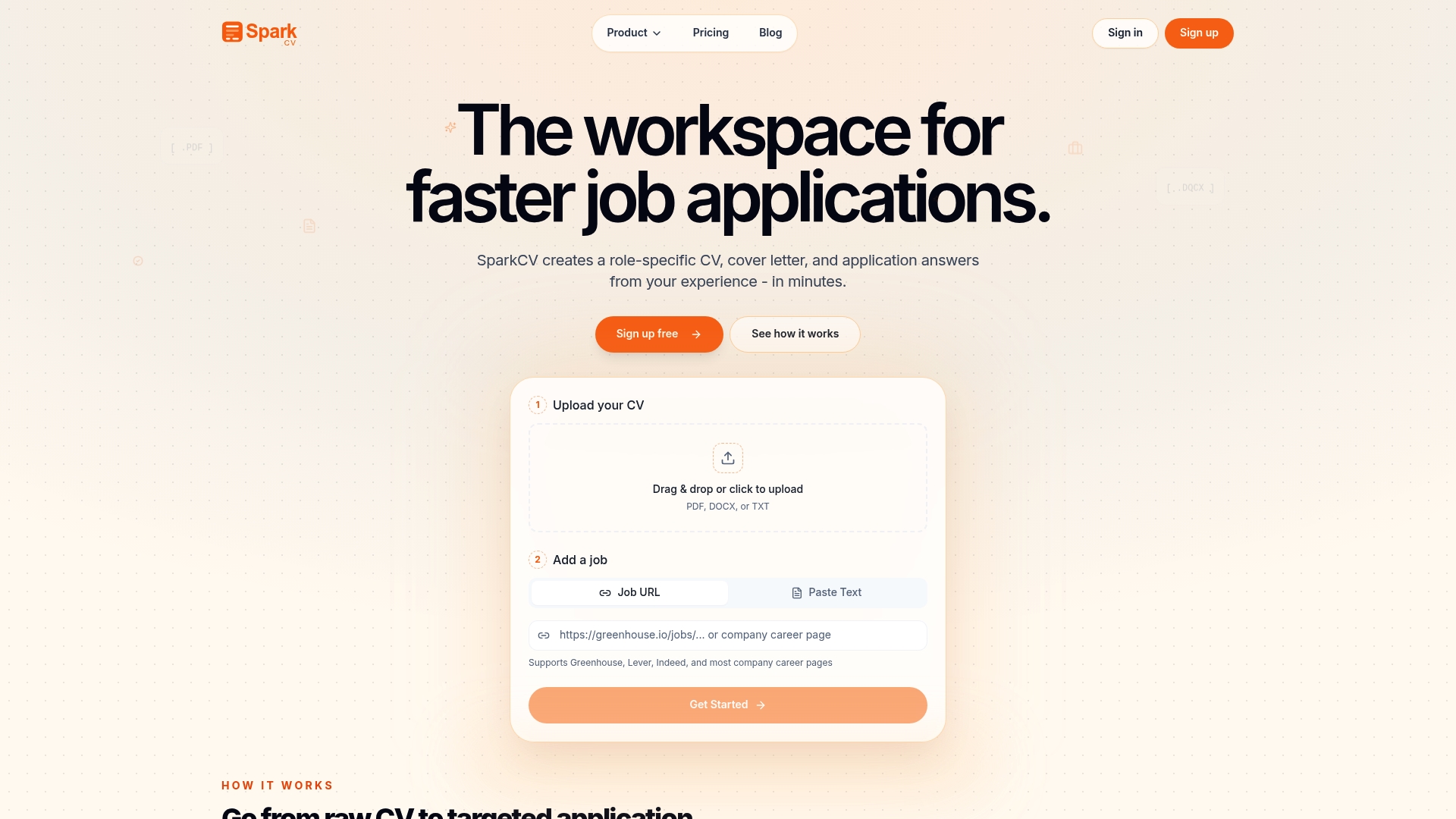
Upload your existing CV and the job description, and SparkCV’s extraction engine produces a tailored, ATS-friendly DOCX that incorporates missing keywords into your actual experience, not a template. You also get a cover letter and answers to application questions, all drawn from the same analysis, so your whole submission is consistent. Pricing includes a single-use option if you only need one tailored export, a student rate, and a full subscription for active job seekers applying to multiple roles.
Start your tailored CV now and submit a stronger application today.
Authoritative UK sources for job description research
When copying job descriptions for testing, use the original posting rather than a third-party aggregator, as aggregators sometimes truncate essential criteria.
- GOV.UK Civil Service Jobs — the primary source for Civil Service vacancies; job descriptions include Success Profiles competencies and essential criteria in full.
- NHS Jobs — official NHS vacancy board; adverts include Agenda for Change band, essential qualifications, and person specifications that map directly to ATS criteria.
- Indeed UK — broad coverage across sectors; useful for comparing how the same role title is described across multiple employers, which helps identify the most common keywords.
- GOV.UK guidance on writing a CV — official guidance on UK CV conventions, useful for checking that your format and section headings meet standard expectations before you run a match test.
Recommended reads
Keep exploring






Hear more from SparkCV
Leave your email for new articles, onboarding invites, and launch news.
We’ll only use this for SparkCV emails, and you can unsubscribe any time.