
How to tailor your CV to a job description fast

Tailoring your CV to a job description is the single highest-leverage change you can make to a job application, and it does not require a full rewrite. The industry term for this process is CV personalisation, and when done with focus, it takes as little as five minutes. Targeting the real requirements of a role wins over a generic CV sent to dozens of employers. This guide gives you a repeatable method to tailor your CV to a job description fast, covering which sections to edit, how to handle keywords, and when to use AI tools.
How to tailor your CV to a job description fast: which sections matter most
Recruiters spend about 6 seconds scanning a CV before deciding whether to read further. That means your summary, skills section, and the top bullet points of your most recent role carry almost all the weight. Editing these three areas gives you the fastest return for your time.
Here are the four sections to prioritise for speedy job CV tailoring:
- Professional summary or headline. This is the first thing a recruiter reads. Rewrite it in one or two sentences to reflect the exact role title and two or three core requirements from the job description. If the posting says “Senior Data Analyst with Python experience,” your summary should use that language directly.
- Skills section. Reorder your existing skills so the ones that match the job description appear first. You are not inventing new skills. You are surfacing the most relevant ones. ATS systems parse this section heavily, so front-loading the right keywords here improves your match score.
- Top four to six bullet points in your most recent role. These are the bullets a recruiter will actually read. Rewrite them to include measurable results and the language used in the job description.
- Job title alignment. If your actual title differs slightly from the role you are applying for, consider adding a contextual descriptor in brackets, provided it is accurate.
A full CV rewrite is rarely necessary and often counterproductive. Selective editing keeps your voice consistent and prevents the kind of over-polished, generic language that recruiters recognise immediately. If you find yourself rewriting every line, you are spending time that does not improve your chances.
Pro Tip: Build a master CV that contains every role, skill, and achievement you have ever held. For each application, you pull from this bank rather than writing from scratch. This is the single biggest time-saver in efficient CV adjustment.

A step-by-step process to customise your CV in 5 to 15 minutes
This workflow is designed for speed. Follow it in order and you will have a tailored CV ready before most people have finished reading the job description.
- Read the job description once, then highlight. On your second pass, highlight every repeated word or phrase. Repetition signals priority. If “stakeholder management” appears three times, it belongs in your CV.
- Choose three must-match requirements. Pick the three skills or experiences the role cannot do without. These become your editing anchors. Every change you make should serve at least one of these three requirements.
- Rewrite your summary first. Update it to reflect the role title and your top two must-match requirements. Keep it to two or three sentences. This takes under two minutes.
- Reorder your skills section. Move the keywords that match the job description to the top of your skills list. Do not add skills you do not have.
- Edit your top four to six bullet points. Rewrite them to include measurable results and the language from the job description. “Managed a team” becomes “Led a cross-functional team of eight to deliver a £2.4m project on time.”
- Remove dilutive content. Cut any bullet points or skills that are irrelevant to this specific role. A shorter, focused CV outperforms a longer, scattered one.
- Run a final ATS and recruiter scan. Read your summary and skills section aloud. Check that the three must-match requirements appear clearly. Use a tool like the CV tailoring checklist to verify formatting and keyword placement before you submit.
You can complete this process in about 5 minutes by focusing only on the highest-impact sections. Speed increases significantly once you have done it two or three times.
| Step | Time required | Key action |
|---|---|---|
| Highlight keywords | 2 minutes | Identify repeated terms in the job description |
| Rewrite summary | 2 minutes | Match role title and top two requirements |
| Reorder skills | 1 minute | Front-load job description keywords |
| Edit top bullets | 5 minutes | Add measurable results and JD language |
| Remove irrelevant content | 2 minutes | Cut anything that does not serve the role |
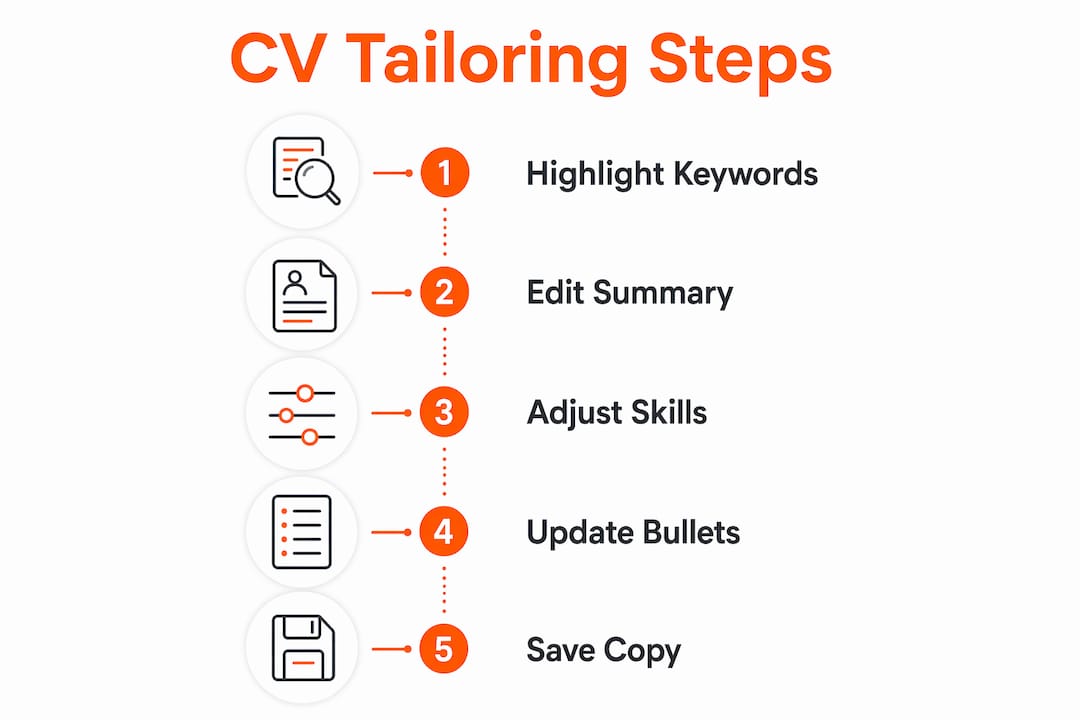
Pro Tip: Save a copy of every tailored CV with the company name and date in the file name. If you get an interview, you will want to review exactly what you submitted.
How to avoid keyword stuffing while tailoring your CV quickly
Keyword stuffing is the practice of forcing job description terms into your CV at high frequency to game ATS filters. Modern ATS platforms detect it, and recruiters notice it immediately. Keyword density above 1.5% triggers ATS penalties, so the goal is precise placement, not repetition.
The two-location rule is the most reliable method for fast resume customisation without over-stuffing. Each keyword should appear twice in your CV: once in the skills section and once in an experience bullet. This satisfies ATS parsing depth without crossing into stuffing territory.
Follow these principles to keep your CV authentic and ATS-friendly:
- Only use keywords that genuinely reflect your experience. If you cannot speak to a skill in an interview, do not include it.
- Aim for a keyword density of 0.8 to 1.2% per target keyword. This range optimises ATS matching without triggering penalties.
- Rewrite bullets with real context. “Proficient in Salesforce” is weaker than “Used Salesforce to manage a pipeline of 120 accounts, reducing follow-up time by 30%.”
- Map the language of the job description to your actual experience. If the posting says “client-facing communication” and you have that experience, use that phrase rather than a synonym.
Authenticity is not just an ethical concern. It is a practical one. Recruiters who shortlist you based on keyword-stuffed content will discover the gap at interview. Mapping job description language to real experience builds both ATS success and recruiter trust. Understanding why CVs get rejected before they are read often comes down to exactly this mismatch between claimed and demonstrated skills.
When should you use AI tools to speed up CV tailoring?
AI-assisted CV tailoring tools handle the keyword extraction, gap analysis, and reformatting steps automatically. This is useful when you are applying to multiple roles in a short period, or when manual tailoring fatigue leads to careless edits. AI tools do not replace your judgement on strategic decisions, but they remove the repetitive work.
| Approach | Time required | Best for |
|---|---|---|
| Manual tailoring | 5 to 15 minutes | Single applications, senior roles |
| AI-assisted tailoring | Under 5 minutes | High-volume applications, ATS-heavy roles |
| Full professional service | Around 60 minutes | Career changes, executive applications |
AI services offer end-to-end CV tailoring in approximately 60 minutes for professional rewrites, with pricing starting around £19 for automated options. For most job seekers, AI tools work best as a first pass. You paste in the job description, receive a tailored draft, then review it yourself to add specific achievements and correct anything that does not reflect your actual experience. The human review step is not optional. An AI tool cannot know that your “team leadership” involved managing a budget of £500k. You add that. The tool saves you the structural work.
Get your CV tailored in minutes with SparkCV
SparkCV is built specifically for job seekers who need to match their CV to a job description quickly and accurately. You upload your existing CV, paste in the job description, and SparkCV’s extraction technology identifies the gaps, matches keywords, and generates a tailored version in minutes.
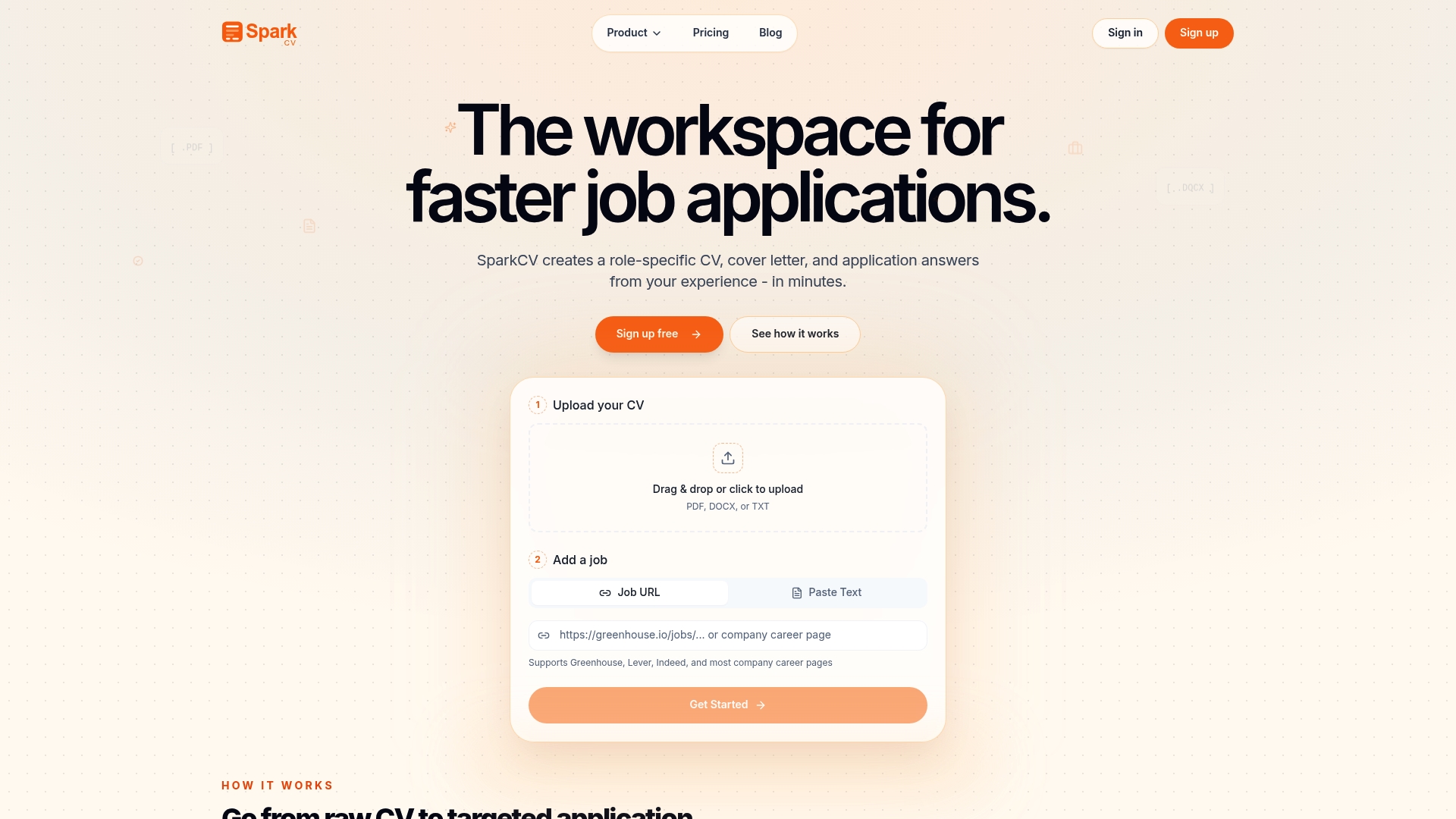
The output is ATS-friendly, keyword-matched, and formatted for recruiter scanning. SparkCV also generates cover letters and tailored answers to application questions, so your entire submission is aligned to the role. You do not need to start from scratch or spend an hour editing. Try SparkCV free and see how quickly a focused, tailored application comes together.
Key takeaways
Tailoring your CV fast requires selective editing of your summary, skills section, and top bullet points, not a full rewrite, to pass ATS filters and catch recruiter attention.
| Point | Details |
|---|---|
| Focus on three sections | Edit your summary, skills, and top four to six bullets for maximum impact in minimum time. |
| Use the two-location rule | Place each keyword once in skills and once in an experience bullet to satisfy ATS without stuffing. |
| Keep keyword density in range | Aim for 0.8 to 1.2% per keyword to optimise matching without triggering ATS penalties. |
| Build a master CV | Maintain a full bank of roles and achievements to pull from, rather than rewriting from scratch each time. |
| Use AI as a first pass | AI tools remove structural work; always review the output to add specific, measurable achievements. |
FAQ
How long does it take to tailor a CV to a job description?
You can tailor your CV in as little as five minutes by editing only the summary, skills section, and top four to six bullet points. A more thorough pass, including removing irrelevant content and running an ATS check, takes 10 to 15 minutes.
Do I need to rewrite my entire CV for every application?
No. Selective editing of high-impact sections is faster and more effective than a full rewrite. A master CV with all your experience makes this process significantly quicker.
Will keyword stuffing help me pass ATS filters?
No. Keyword density above 1.5% triggers ATS penalties and makes your CV harder for recruiters to read. Aim for 0.8 to 1.2% density per keyword, placed in two locations.
When should I use an AI CV tailoring tool instead of doing it manually?
Use AI tools when applying to multiple roles quickly or when you want a fast first draft to review and refine. Manual tailoring remains better for senior or specialist roles where strategic positioning matters most.
What is the most important section to update when tailoring your CV?
Your professional summary is the first thing both ATS systems and recruiters process. Updating it to reflect the exact role title and core requirements gives you the highest return for the least editing time.
Recommended reads
Keep exploring






Hear more from SparkCV
Leave your email for new articles, onboarding invites, and launch news.
We’ll only use this for SparkCV emails, and you can unsubscribe any time.