
How to prioritise job applications effectively in 2026

Apply selectively using a three-step system: screen every posting in under 20 seconds, score it against a weighted checklist, then commit tailoring time only to roles that hit 9 or 10 out of 10. Tailored applications convert to interviews at a significantly higher rate than generic submissions, so the maths strongly favours fewer, better applications over a scattergun approach.
Three actions you can run in the next 10 minutes:
- Pull up one live job posting and check the date posted, required credentials, and salary range. If any are a clear mismatch, close the tab.
- Score the role on five criteria (fit, evidence, velocity, compensation, growth) from 1–10. Total below 35? Move on.
- If the score clears the threshold, open your achievement library and identify three quantified bullets that map directly to the top requirements.
Pro Tip: Set a 20-second timer when you open a new posting. If you cannot confirm the basics (date, location, core requirements) before it rings, treat the role as unscreened and move on.
Table of Contents
- How to prioritise job applications effectively with a screening matrix
- A reusable scorecard to rank and prioritise applications
- How many quality applications can you realistically do each week?
- What to track and how to spot where your pipeline is leaking
- How to follow up professionally without being a nuisance
- How to avoid burnout and keep your search momentum going
- The research case for role-family focus and execution discipline
- Key takeaways
- SparkCV fits directly into this system
- Selected sources and further reading
How to prioritise job applications effectively with a screening matrix
Before you score anything, you need a fast triage layer that filters out postings not worth your time. The two axes that matter most are hiring velocity (how fresh is the listing?) and fit (how closely do your credentials match the stated requirements?).
Many job-board listings are ghost postings, which are left live to collect CVs or maintain a talent pool rather than fill an active vacancy. Prioritising roles posted very recently, or sourced directly from a company’s careers page, cuts that risk significantly.
Quick screening checklist (10–20 seconds per posting):
- Posted date: recent posting on a job board, or undated on a direct careers page
- Required credentials: no hard disqualifiers (specific professional licence, years of experience well above yours)
- Location or remote eligibility: confirmed as available to you
- Salary signal: listed range or company-size proxy suggests a match
- No ghost-listing red flags: vague responsibilities, no named hiring manager or team, reposted multiple times
| Signal | Green (proceed) | Amber (investigate) | Red (skip) |
|---|---|---|---|
| Posting date | Under 72 hours | 1–2 weeks | Over 3 weeks |
| Credential match | Meets 80%+ of requirements | Meets 60–70% | Below 60% |
| Salary indication | Listed and within range | Not listed but company-size match | Listed and clearly out of range |
| Role clarity | Named team, clear scope | Generic but plausible | Vague, reposted, no contact |
Pro Tip: Set up job alerts filtered by “last 24 hours” on LinkedIn, Indeed, and direct company career pages. You will see fewer results, but almost all of them will be actively hiring.
A reusable scorecard to rank and prioritise applications
Screening tells you whether to look closer. Scoring tells you whether to apply. The scorecard below gives every posting a number so you can compare roles objectively and commit time only to the strongest candidates.
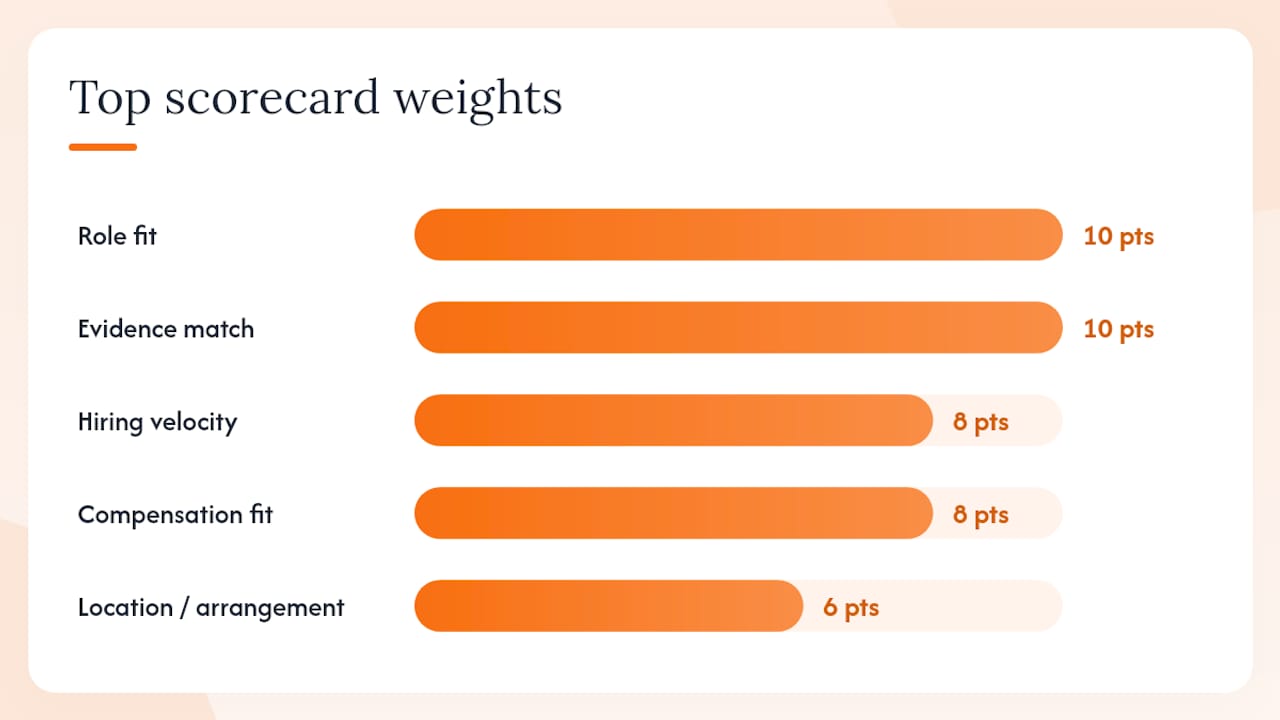
Scoring criteria and weights:
| Criterion | Weight (out of 10) | What to assess |
|---|---|---|
| Role fit (skills and experience) | 10 | How closely your background matches the core requirements |
| Evidence match | 10 | Can you prove at least 3 of the top 5–7 requirements with real examples? |
| Hiring velocity | 8 | Posted recently, active recruiter, clear timeline |
| Compensation fit | 8 | Salary range or proxy aligns with your target |
| Location or arrangement | 6 | Remote, hybrid, or commute is workable |
| Growth potential | 6 | Role offers progression, new skills, or expanded scope |
| Referral possibility | 4 | You have a contact who can make a warm introduction |
How to calculate your score:
- Rate each criterion from 1–5 (1 = poor fit, 5 = strong fit).
- Multiply each rating by its weight.
- Sum the totals and divide by the maximum possible score (260) to get a percentage, then convert to a 1–10 scale.
Decision thresholds:
- 9–10: Apply now. Full tailoring, personalised cover letter, referral outreach if possible.
- 7–8: Consider. Apply if your pipeline is thin or the role is a strong target-bucket fit.
- Below 7: Skip or park. Revisit only if circumstances change.
Worked example: A product manager role posted two days ago, salary listed at £65,000–£75,000, fully remote, with a contact at the company. You meet 85% of requirements and can evidence four of the top six. Scores: fit 4, evidence 4, velocity 5, compensation 5, location 5, growth 4, referral 4. Weighted total: 40+40+40+40+30+24+16 = 230. Score: 230/260 = 88% = 8.8. Decision: apply now, with a warm introduction request.
How many quality applications can you realistically do each week?
The honest answer: three to five fully tailored applications per week is a sustainable, high-quality target for someone dedicating 10–15 hours to their search. Beyond that, quality degrades. Cognitive research confirms that divided attention reduces performance on complex tasks, and tailoring is a complex task. Batching similar work preserves output quality.
Sample weekly schedule:
| Day | Task | Time |
|---|---|---|
| Monday | Search, screen, and score new postings | 1 hour |
| Tuesday | Tailor CV and cover letter for top-scored roles | 2–3 hrs |
| Wednesday | Submit applications, request referrals | 1 hr |
| Thursday | Follow-up on pending applications, network outreach | 1 hr |
| Friday | Weekly review: metrics, pipeline, next week’s targets | 30–45 mins |
Numbered workflow for each application:
- Confirm the role scores 7+ before opening your CV.
- Pull three matching bullets from your achievement library.
- Update the headline and summary to mirror the job title and top requirement.
- Write or adapt a cover letter using the role-family template.
- Run the keyword check and evidence threshold test.
- Submit and log the application with date, score, and follow-up date.
Pro Tip: Batch all tailoring on one or two days rather than spreading it across the week. Switching between research, writing, and submission fragments your focus and adds 20–30 minutes of ramp-up time per session.
What to track and how to spot where your pipeline is leaking
Tracking turns a guessing game into a diagnostic tool. You do not need a complex system. A simple spreadsheet or a Trello job-hunt template captures everything you need.
Key metrics to log for every application:
| Stage | What to record | Why it matters |
|---|---|---|
| Roles reviewed | Number screened per week | Signals whether your search volume is right |
| Applications sent | Number submitted per week | Baseline for all conversion rates |
| Screens (phone/video) | Number of first-contact calls | Application-to-screen rate |
| Interviews | Number of structured interviews | Screen-to-interview rate |
| Offers | Number of offers received | Interview-to-offer rate |
How to read the numbers:
- Application-to-screen rate below 3%: your targeting or CV headline is off. Check role-family alignment and keyword match.
- Many screens but few interviews: your phone or video screen performance needs work. Review your opening narrative.
- Interviews but no offers: the issue is likely at the evidence or negotiation stage. Revisit how you frame achievements.
Treating your search as an execution system with six stages (direction, proof, access, apply, convert, learn) makes it clear which stage to fix rather than applying more volume as a default response.
Diagnostic checklist:
- Direction: are you targeting one or two role families, or scattering across unrelated titles?
- Proof: does your CV evidence at least three of the top five requirements for each role?
- Access: are you reaching decision-makers, or only applying through job boards?
- Apply: are applications going in within 72 hours of posting?
- Convert: are follow-ups sent within 48 hours of each stage?
- Learn: are you reviewing metrics weekly and adjusting?
How to follow up professionally without being a nuisance
Most applications go cold not because the candidate was rejected, but because no one followed up. A short, value-adding message keeps your application visible without putting pressure on the recruiter.
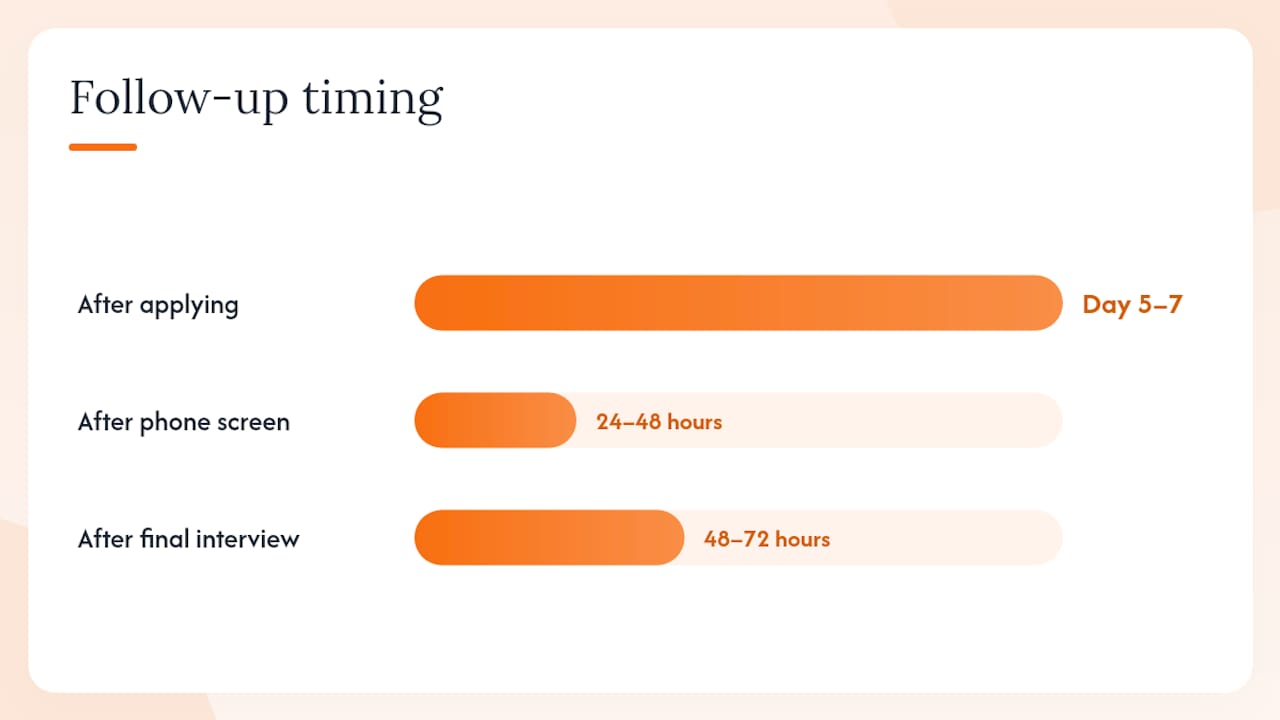
Suggested cadence:
- Day 5–7 after applying: a brief check-in confirming your application is complete and expressing continued interest. Two to three sentences maximum.
- 24–48 hours after a phone screen: a thank-you note that references one specific point from the conversation and ties it to your experience.
- 48–72 hours after a final interview: a short message that adds one relevant insight (a recent industry development, a brief thought on a challenge the interviewer mentioned) alongside your thanks.
What to include so your follow-up adds value:
- A specific reference to something discussed in the interview or job description.
- One sentence connecting your experience to a problem they mentioned.
- Optionally, a relevant link (an article, a case study, a piece of your work) that is genuinely useful, not self-promotional.
When and how to seek a warm introduction:
- Search your LinkedIn connections for anyone at the target company, even two degrees out.
- Send a short, direct message explaining the role you are applying for and asking if they would be willing to share any context about the team or culture.
- If they respond positively, ask whether they would be comfortable passing your name to the hiring manager. Do not ask for a referral in the first message.
Pro Tip: For consulting or client-facing roles, aligning your follow-up narrative to the specific problem the team solves is more persuasive than a generic expression of enthusiasm. One concrete sentence beats three paragraphs of enthusiasm.
How to avoid burnout and keep your search momentum going
A job search that runs at full intensity for more than a few weeks without structure tends to collapse. Quality drops, applications become generic, and motivation follows. The fix is not to push harder; it is to build in recovery by design.
Signs you are heading for burnout:
- You are applying to roles you have not fully read.
- Your cover letters are becoming copy-paste with minor edits.
- You feel anxious opening your email but are also checking it every 20 minutes.
- Your weekly application count is rising but your score threshold is dropping.
Immediate reset steps:
- Take two full days off from active searching. Do not check job boards or email.
- Lower your weekly application target by one or two for the following week.
- Reconnect with one person in your network for a conversation that is not about job hunting.
- Replace one application slot with a skill-building activity (a short course, a portfolio piece, a relevant article).
Sustainable habits:
- Schedule one full off-day per week from the search, non-negotiable.
- Set micro-goals: “I will score five roles and apply to two this week” rather than “I will find a job.”
- Run a five-minute Friday review: what went well, what did not, what changes next week.
- Use an accountability partner (a friend, a career coach, or an online community) for weekly check-ins.
Pro Tip: Replace mass applying with one skill-building session per week. A new portfolio piece or a completed short course adds to your evidence library and gives you something concrete to mention in follow-ups.
The research case for role-family focus and execution discipline
The evidence for a selective, system-driven approach is consistent across career research and professional-body guidance. Three findings are worth anchoring the method to.
Role-family targeting works because it sharpens your signal. When you apply across unrelated titles, your CV reads as unfocused to recruiters. Clustering applications within a role family means your CV language, your achievement bullets, and your cover letter all reinforce the same narrative. Targeting a cluster of related roles makes tailoring repeatable and produces clearer recruiter signals than a broad scatter approach.
Execution systems outperform effort alone. The difference between a long, unsuccessful search and a shorter, successful one is rarely effort. It is usually direction and proof. Candidates who clarify their target role family, build evidence for it, and track their pipeline diagnostically convert more applications into offers than those who simply apply more.
Following up with a specific, value-adding message after each application stage keeps strong applications warm and signals the kind of professionalism that generic status-check emails do not. The follow-up is not a chase; it is a continuation of the conversation.
Diagnostic checklist: which stage is failing?
- No screens despite many applications: direction or proof problem. Revisit role-family alignment and CV keyword match.
- Screens but no interviews: access or convert problem. Check whether you are reaching the right people and whether your opening narrative is clear.
- Interviews but no offers: convert or learn problem. Review how you frame evidence and whether you are gathering feedback.
Pro Tip: After every rejection or no-response, log one hypothesis about why. After four weeks, patterns emerge. Three rejections at the same stage almost always point to the same fix.
Key takeaways
Applying selectively using a screen-score-apply system, with role-family targeting and weekly conversion tracking, is the most reliable way to increase interviews without increasing the volume of applications you send.
| Point | Details |
|---|---|
| Screen before you score | Use a 20-second triage (date, credentials, salary, clarity) to filter ghost listings and poor-fit roles before investing tailoring time. |
| Score every role | Apply the weighted scorecard and commit full tailoring only to roles that hit 9–10; skip or park anything below 7. |
| Target one or two role families | Clustering similar roles makes tailoring repeatable and keeps your CV narrative coherent for recruiters. |
| Track conversion by stage | Log applications, screens, interviews, and offers weekly; a rate below 3% at any stage signals a specific fix, not more volume. |
| SparkCV speeds the workflow | SparkCV extracts your achievements, generates ATS-friendly CVs and cover letters per role, and exports tailored applications in minutes. |
SparkCV fits directly into this system
Every step in this workflow, from building your achievement library to generating a tailored cover letter for a 9-out-of-10 role, takes less time when you are not rewriting from scratch.
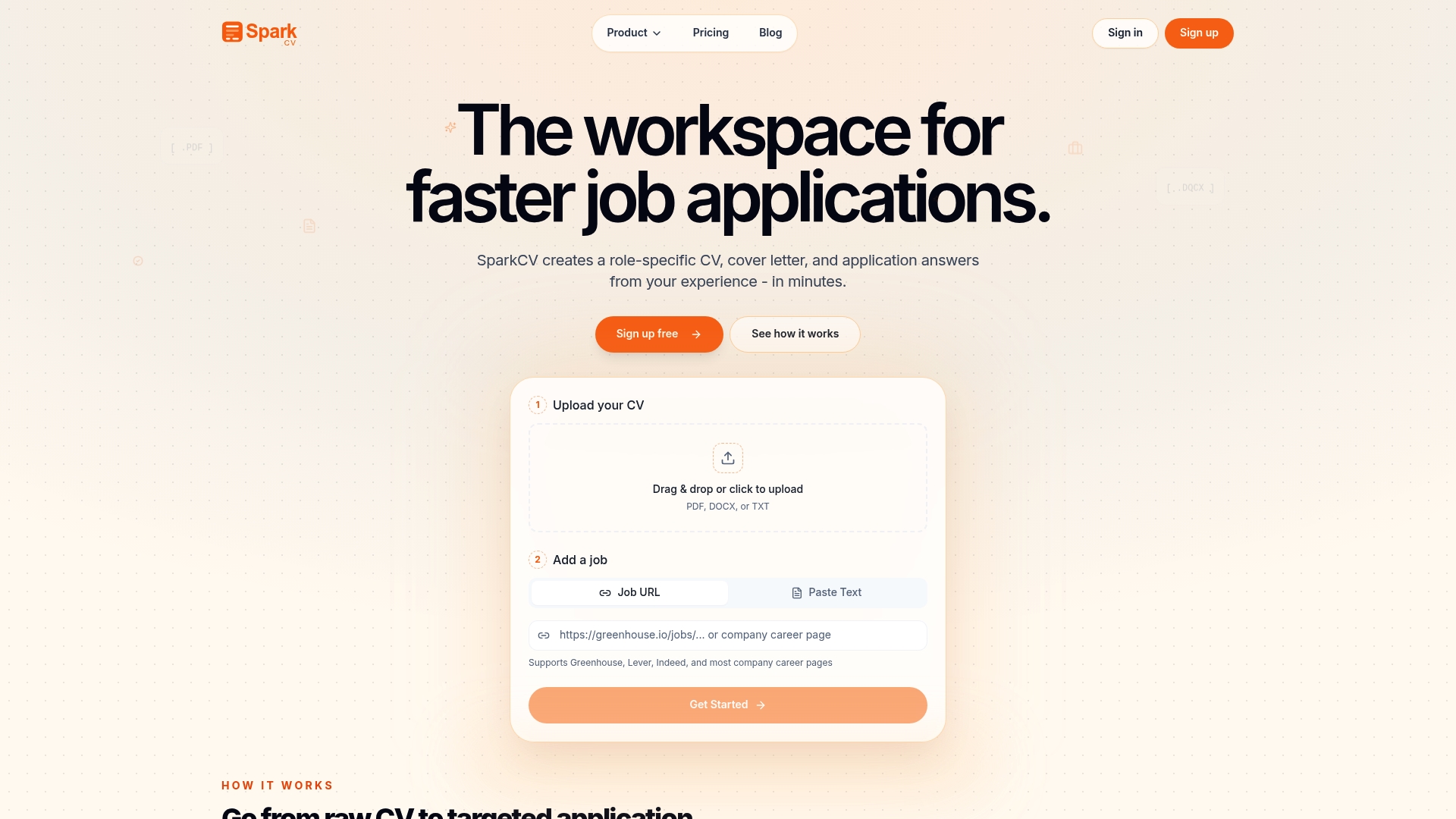
SparkCV analyses your existing CV and the job description, then generates a customised, ATS-friendly CV, cover letter, and application question answers in minutes. The career log feature functions as your built-in achievement library: capture wins as they happen, group them by skill area, and pull the right bullets when a high-scoring role appears. For scorecard-driven tailoring, that means you are assembling rather than writing.
Three places in this workflow where SparkCV saves meaningful time:
- Application question answers: for roles with written application questions, SparkCV’s application questions tool generates structured, evidence-based answers drawn from your uploaded CV.
Subscription options include monthly, single-use, and student pricing. Try SparkCV and run your first tailored application through the system today.
Selected sources and further reading
The sources below underpin the method in this article. Each is linked to the specific part of the workflow it supports.
- Job Application Workflow: Stop Wasting Applications
- Job Search Strategy 2026: A Smarter Way to Apply
- How to Prioritise Your Job Applications When You’re Overwhelmed
- The Modern Job Search Execution System: A Research-Backed Framework for Getting Hired
- Targeted Job Search - How to Build a 3-Tier Job Search Strategy | Job Search Hacks (by First 2 Apply)
- Job application strategy: Spend more time on fewer applications
- Multitasking (APA topic page)
- Job-hunt template (Trello)
| Source | What it supports in the workflow |
|---|---|
| AskTua: Job Application Workflow | Conversion benchmarks; tailoring ROI |
| AskTua: Job Search Strategy 2026 | Role-family targeting; modular tailoring |
| ApplyOrNot: Prioritise Applications | Three-tier triage; weekly rhythm |
| PathAscent: Execution System | Six-stage diagnostic; tracking framework |
| First2Apply: 3-Tier Strategy | Ghost listing avoidance; freshness filtering |
| ACCA: Fewer Applications | Quality-over-quantity; throughput guidance |
| APA: Multitasking | Batching and time-blocking rationale |
| Trello: Job-Hunt Template | Pipeline tracking; follow-up scheduling |
Recommended reads
Keep exploring






Hear more from SparkCV
Leave your email for new articles, onboarding invites, and launch news.
We’ll only use this for SparkCV emails, and you can unsubscribe any time.