
Job application materials checklist: 2026 guide

A job application materials checklist is a structured document list that confirms every submission is tailored, complete, and consistent before you click send. Generic or incomplete applications are the leading cause of pre-screening rejection, not weak qualifications. Tools like Grammarly, LinkedIn, and SparkCV each address different failure points in the process. Platforms such as USAJOBS and NIST publish specific guidance confirming that missing required documents result in automatic disqualification. This guide walks you through every item on that checklist, step by step.
1. tailor your CV or résumé to the role
Your CV is the centrepiece of every application, and a generic version will not pass keyword screening. Applicant Tracking Systems (ATS) scan for role-specific terms before a human ever reads your document. A tailored CV version for each position significantly increases your chances of clearing that first filter.
The practical approach is to maintain one master CV and export a tailored version per role. Insiders recommend saving a clean source file and creating export versions for specific roles to maintain consistency and optimise parsing. This prevents formatting corruption and keeps your keyword matching sharp.

Pro Tip: Paste your CV into a plain text editor before submitting. If the layout breaks, your formatting is too complex for ATS systems to read correctly.
2. write a cover letter that addresses the specific role
A cover letter is not optional for most professional roles. It is your opportunity to explain why this position, at this organisation, suits your specific background. A letter that could apply to any employer signals low effort and is often discarded immediately.
Address the hiring manager by name where possible. Reference the job title exactly as written in the vacancy. For guidance on writing letters that work across career stages, including transitions, the cover letter tips on SparkCV’s blog offer practical frameworks. Keep the letter to one page and align every claim with evidence from your CV.
3. gather supporting documents in advance
Supporting documents form the broader application document list and vary by role and sector. Common items include portfolios, writing samples, academic transcripts, professional certifications, and a formatted reference list. Creative and technical roles almost always require portfolio evidence. Academic and government roles frequently require transcripts and certifications.
Required documents vary by hiring path and eligibility claims, and missing or unreadable documents invalidate your application entirely. Prepare these materials before you begin applying, not after. Waiting until the last moment increases the risk of submitting outdated or incorrectly formatted files.
- Confirm which documents the vacancy announcement specifically requests
- Save all files as PDFs unless the employer specifies otherwise
- Name files clearly, for example: FirstName_LastName_CV_RoleName.pdf
- Check that certifications and transcripts are current and legible
Pro Tip: Create a dedicated folder for each application containing every document you plan to submit. This prevents you from accidentally uploading last month’s version.
4. complete application forms accurately and consistently
Online application forms are where many candidates lose ground. Inconsistencies between your form entries and your CV, such as different job titles, dates, or employer names, raise immediate red flags for recruiters and automated systems alike.
Follow these steps to complete forms correctly:
- Read every question fully before answering. Do not copy and paste from your CV verbatim.
- Match job titles, employment dates, and employer names exactly to your CV.
- Answer work authorisation questions honestly and precisely.
- State salary expectations as a range based on market research, not a fixed figure.
- Complete all required questionnaires before the deadline. Federal applicants typically have up to 48 hours after an announcement closes to complete required assessments. Missing that window removes you from consideration entirely.
Truthfulness is non-negotiable. Inaccurate information discovered during background checks ends candidacies at any stage.
5. verify all digital links before submitting
Broken or outdated links undermine your credibility instantly. A recruiter who clicks a dead portfolio URL will not follow up to ask for a working one. Check all digital links including LinkedIn, portfolio, website, and GitHub before submitting to avoid broken or outdated references.
Run through this verification list before every submission:
- Open each URL in a private browsing window to confirm it loads correctly
- Check that your LinkedIn profile is public and matches your CV details
- Confirm your portfolio reflects your most recent and relevant work
- Remove or update any links to projects that are no longer live
Consistency across all platforms matters as much as the links themselves. If your LinkedIn shows a different job title or employment gap than your CV, recruiters will notice. Align every detail across every platform before you apply.
6. review file formats and naming conventions
File format is a practical detail that directly affects whether your application is read. PDF is the standard for most private sector roles because it preserves formatting across devices. However, some government and federal roles require plain text or specific document types.
Federal resumes must avoid graphics, embedded links, tables, text boxes, and columns to meet Office of Personnel Management standards. That guidance applies broadly: complex formatting causes parsing failures in ATS systems across all sectors. A clean, single-column layout with standard fonts is the safest choice for any submission.
Name every file with your name and the role. Recruiters handle dozens of applications and a file named CV_Final_v3.pdf tells them nothing useful.
7. track applications and follow up promptly
Submitting an application is not the end of the process. Candidates who track their submissions and respond quickly to employer communications move further in recruitment processes than those who do not.
Build a simple tracker covering the role title, employer, date submitted, application portal login, and any follow-up deadlines. SparkCV’s application questions tracker helps you manage responses and reminders in one place. Check your email daily, including your spam folder, for assessment invites or interview requests. Incomplete applications and missed assessment deadlines cannot be corrected after the vacancy closes, so prompt action is critical.
Set a calendar reminder for five to seven business days after submission to send a brief, polite follow-up email if you have not heard back.
8. know which document type each role requires
Not every role needs the same set of materials. Understanding the difference between a CV and a résumé, and knowing when a portfolio replaces both, saves time and avoids submitting the wrong format.
| Document | Typical Length | Best Used For | Key Consideration |
|---|---|---|---|
| CV | 2+ pages | Academic, research, medical, government roles | Full career history required |
| Résumé | 1–2 pages | Private sector, most commercial roles | Tailored to each specific role |
| Cover letter | 1 page | Most professional applications | Must address the specific employer |
| Portfolio | Variable | Creative, design, writing, technical roles | Show recent, relevant work only |
| Transcripts | As issued | Graduate roles, academic positions | Must be official or certified copies |
The required documents list varies per vacancy announcement. Always read the full job posting before assembling your application package.
Key takeaways
A complete job application materials checklist prevents rejection at every stage, from ATS parsing to human review, by confirming that every document is tailored, consistent, and correctly formatted.
| Point | Details |
|---|---|
| Tailor every document | Export a role-specific CV version for each application to pass ATS keyword screening. |
| Verify digital links | Test all URLs in a private browser before submitting to avoid broken references. |
| Match form entries to your CV | Inconsistent job titles or dates between your form and CV trigger automatic rejection. |
| Prepare supporting documents early | Gather transcripts, certifications, and references before you begin applying, not after. |
| Track and follow up | Log every submission and respond promptly to assessment invites to stay in consideration. |
Build a stronger application with SparkCV
SparkCV takes the manual effort out of tailoring your application materials. Its AI-powered extraction technology analyses your existing CV alongside the job description and generates a customised CV and cover letter in minutes, with keyword matching and ATS-friendly formatting built in.
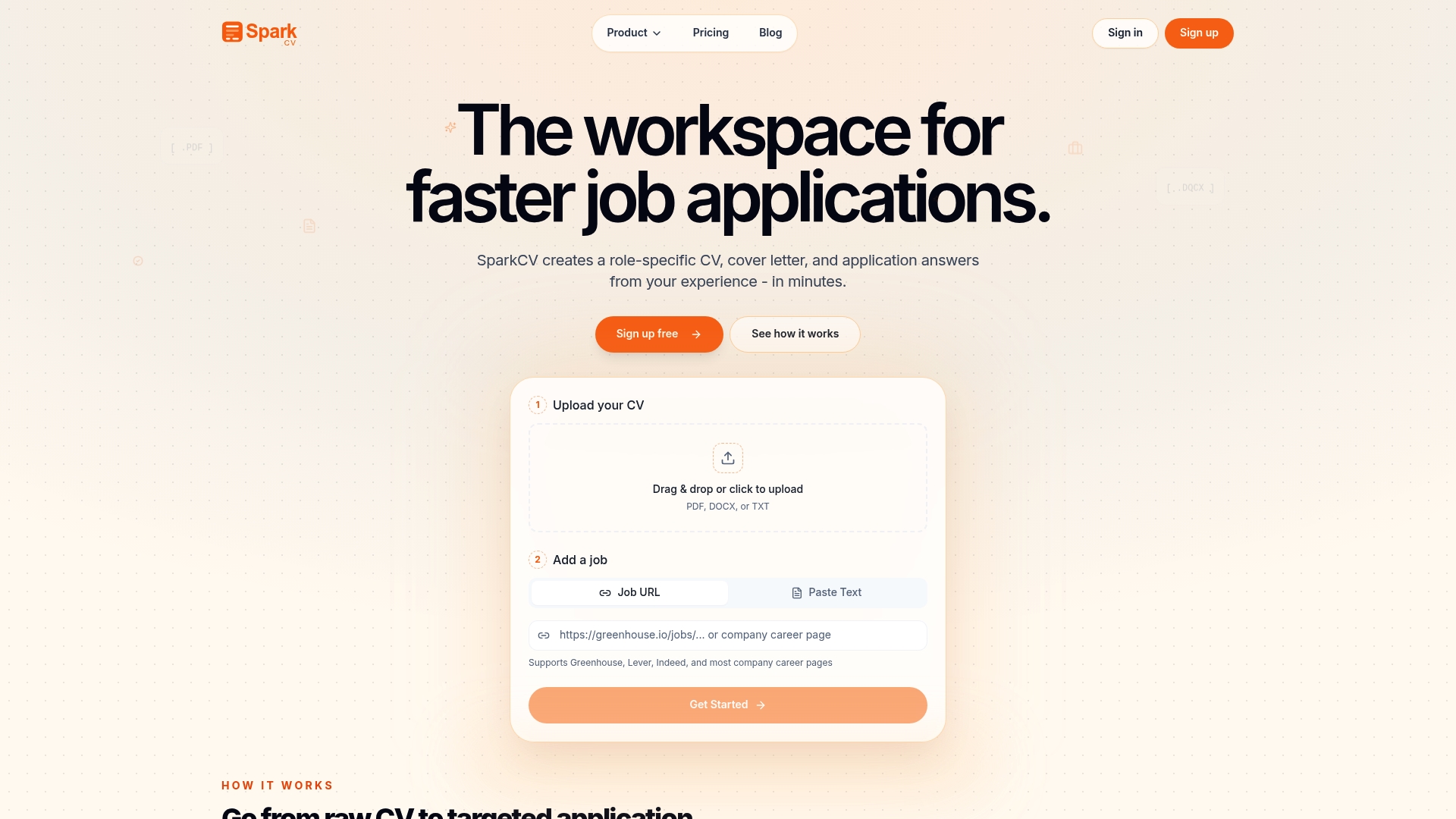
You also get access to SparkCV’s career log tool to track every application, deadline, and follow-up in one place. Whether you are applying for your first role or your fifteenth, SparkCV keeps your submissions consistent, complete, and ready to impress. Sign up free and submit your next application with confidence.
FAQ
What documents are needed for a job application?
Most roles require a tailored CV or résumé and a cover letter as a minimum. Depending on the role, you may also need a portfolio, references, academic transcripts, or professional certifications.
How do i make sure my application is complete?
Read the full vacancy announcement and cross-reference every required document against your submission before clicking send. Incomplete applications are generally considered ineligible and cannot be corrected after the closing date.
Should i submit my CV as a PDF or word document?
PDF is the standard for most private sector roles because it preserves formatting. Some government roles require plain text or specific formats, so always check the vacancy instructions first.
How long after applying should i follow up?
Send a brief follow-up email five to seven business days after submitting if you have not received a response. Keep it short, polite, and reference the specific role you applied for.
What is the difference between a CV and a résumé?
A CV is a full career history document used mainly for academic, research, and government roles, typically running two or more pages. A résumé is a concise, tailored summary of one to two pages used for most private sector positions.
Recommended reads
Keep exploring






Hear more from SparkCV
Leave your email for new articles, onboarding invites, and launch news.
We’ll only use this for SparkCV emails, and you can unsubscribe any time.